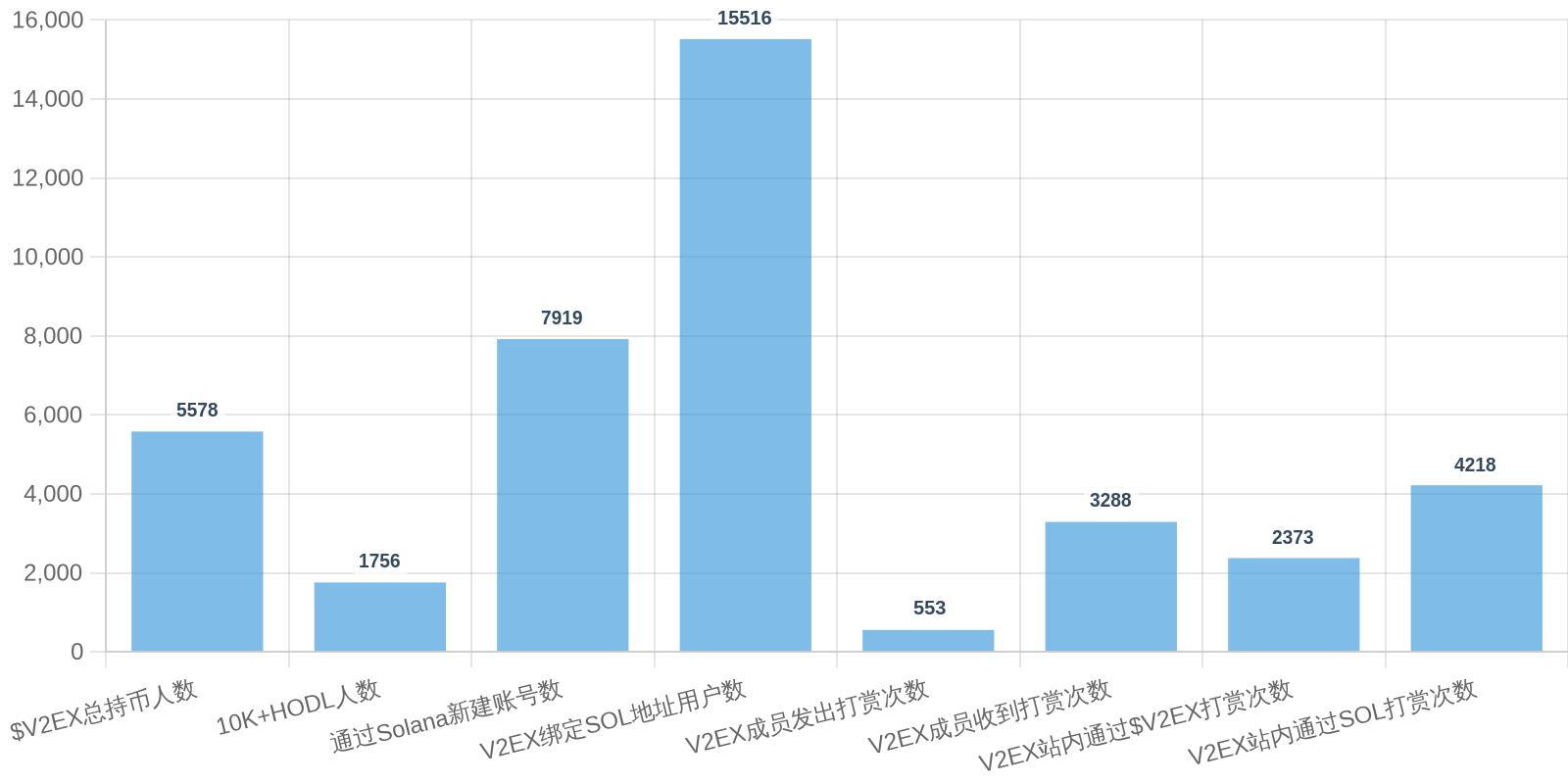
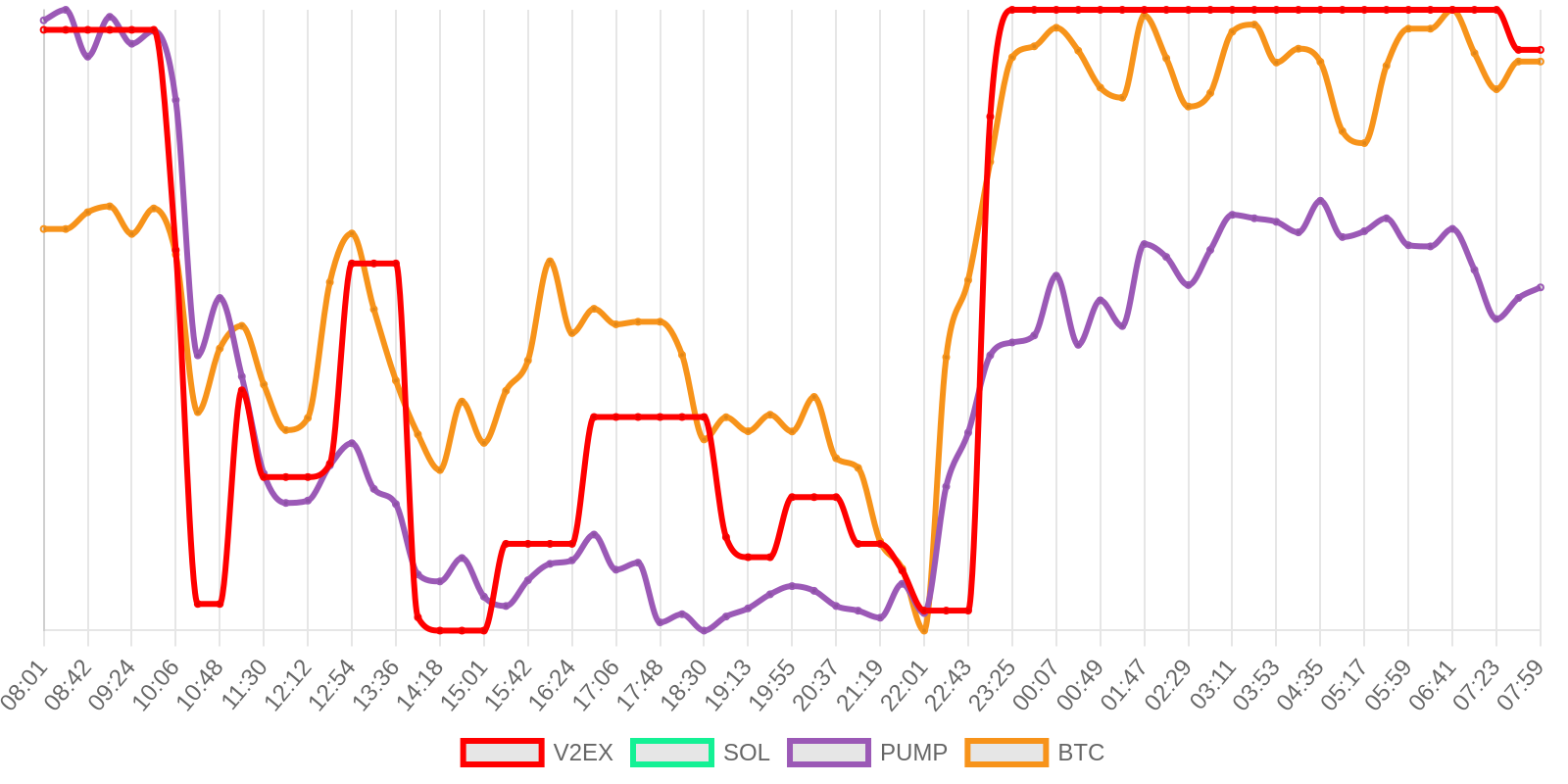
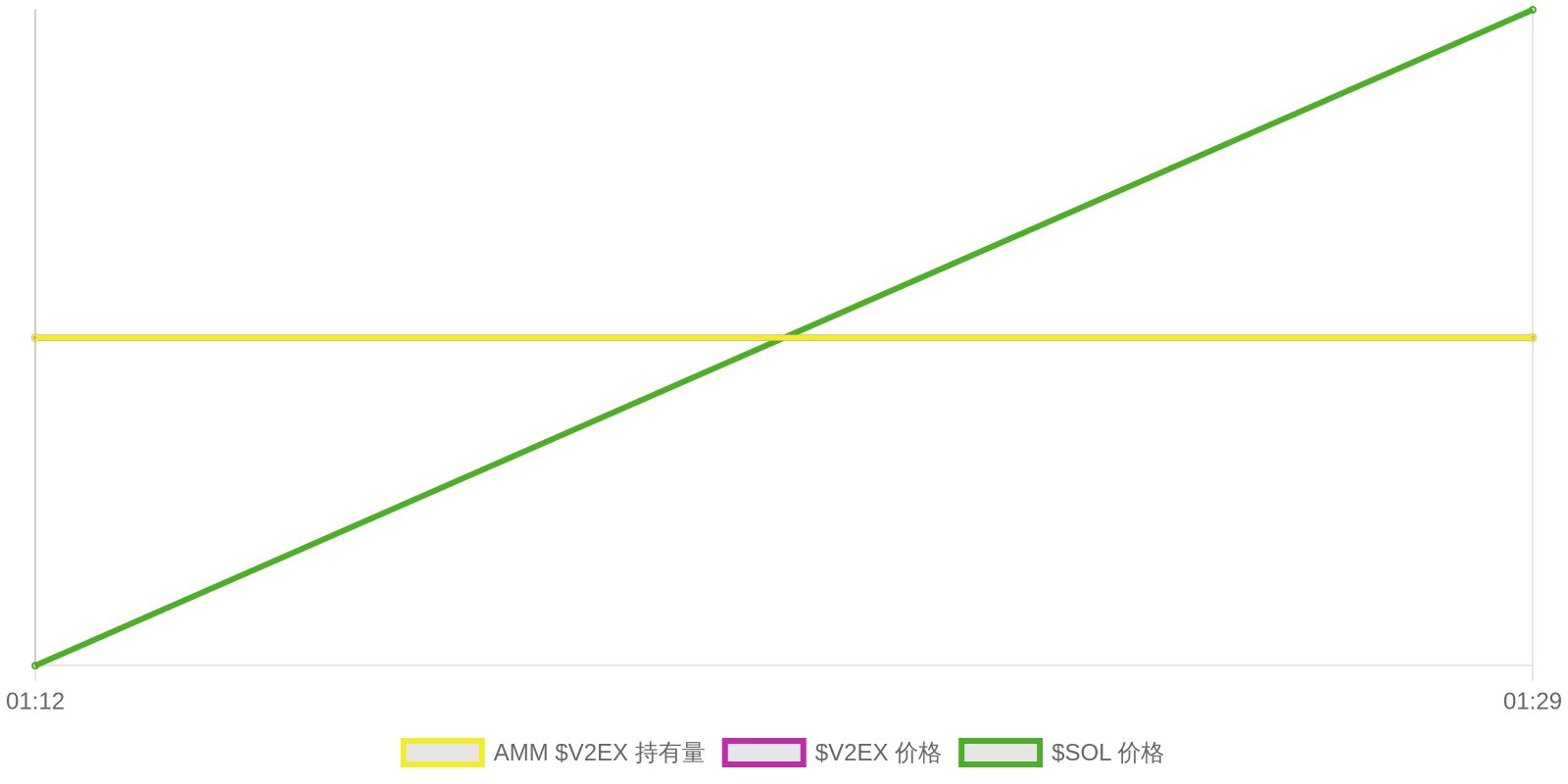
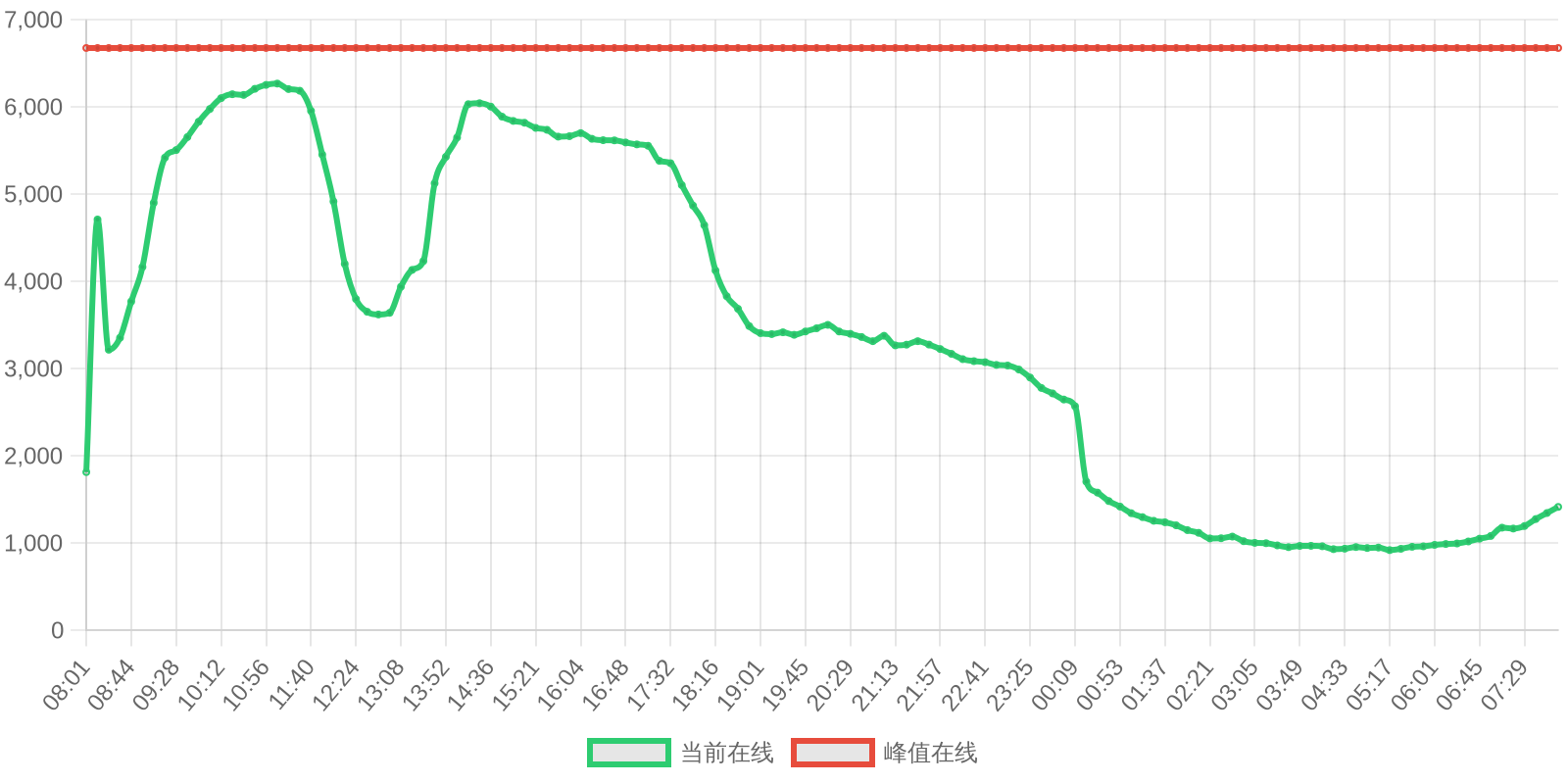
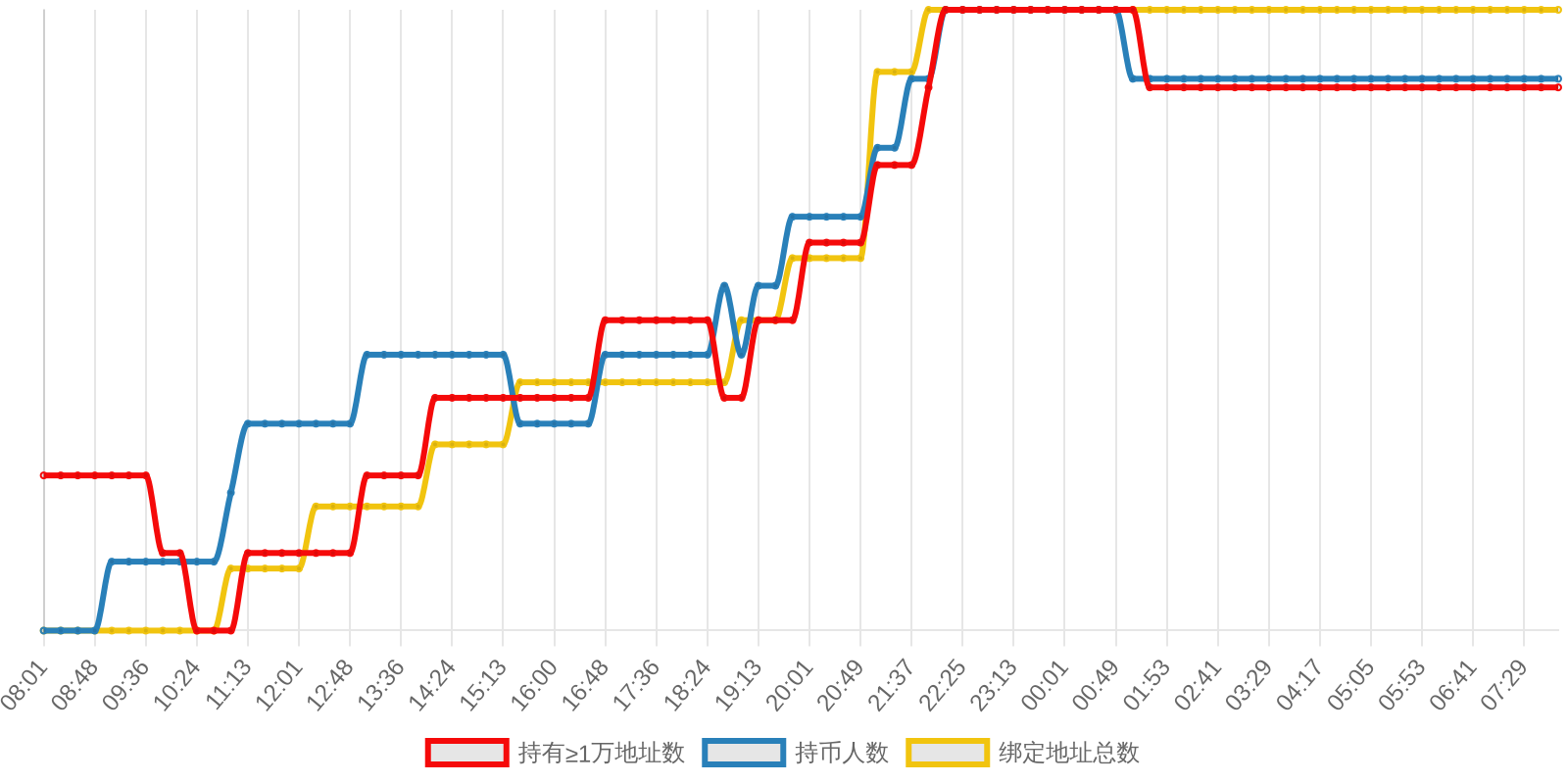
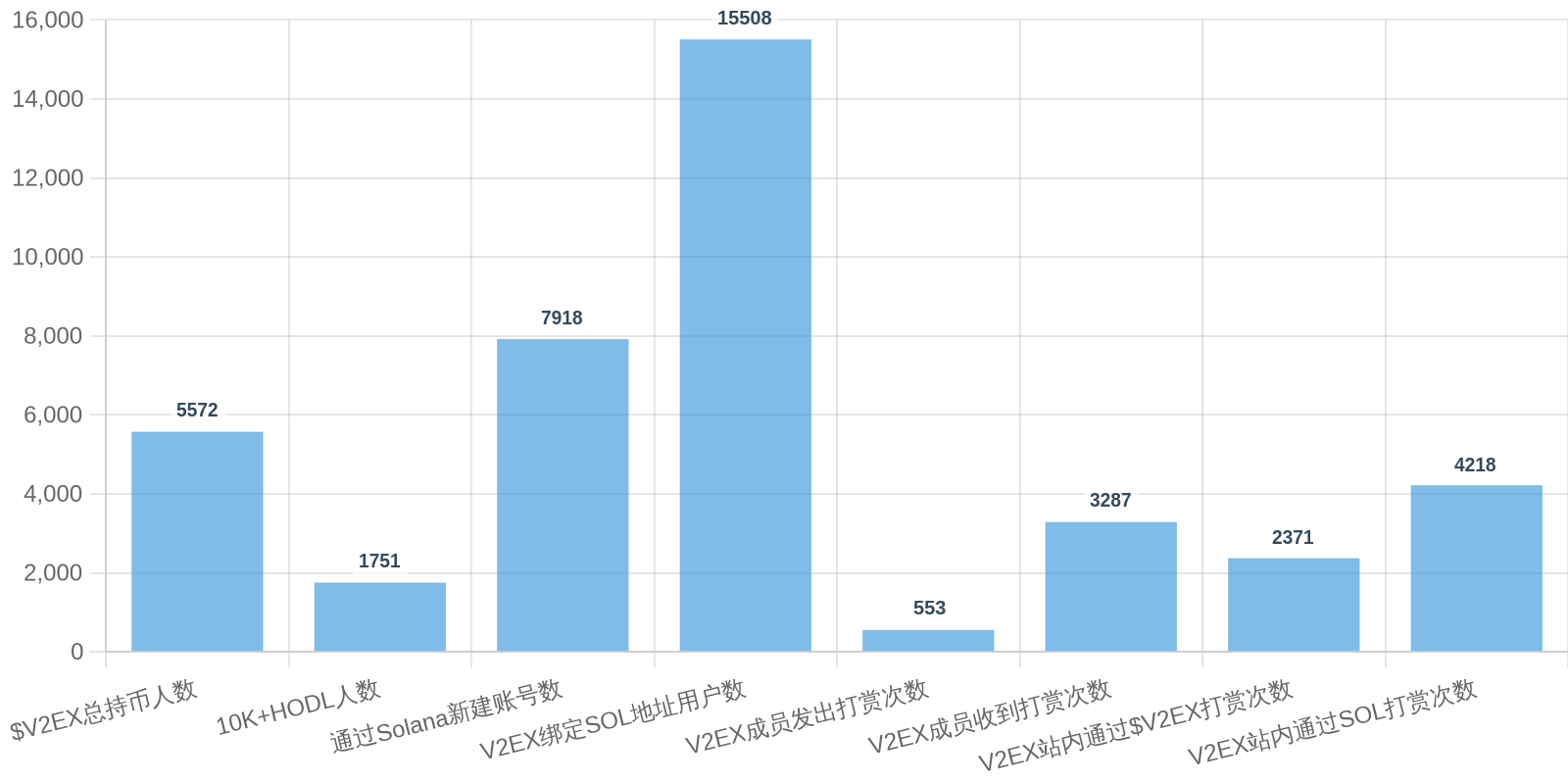
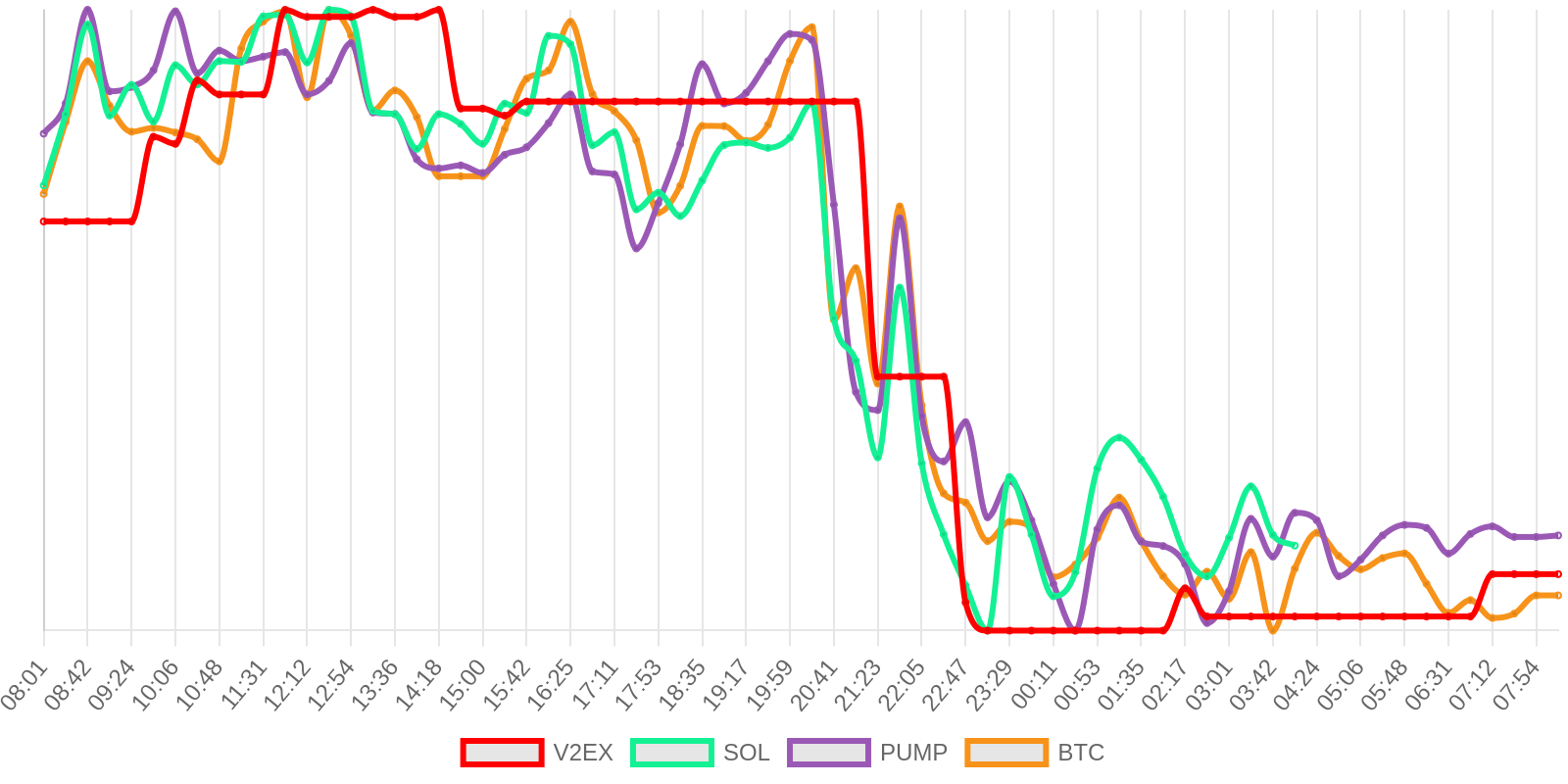
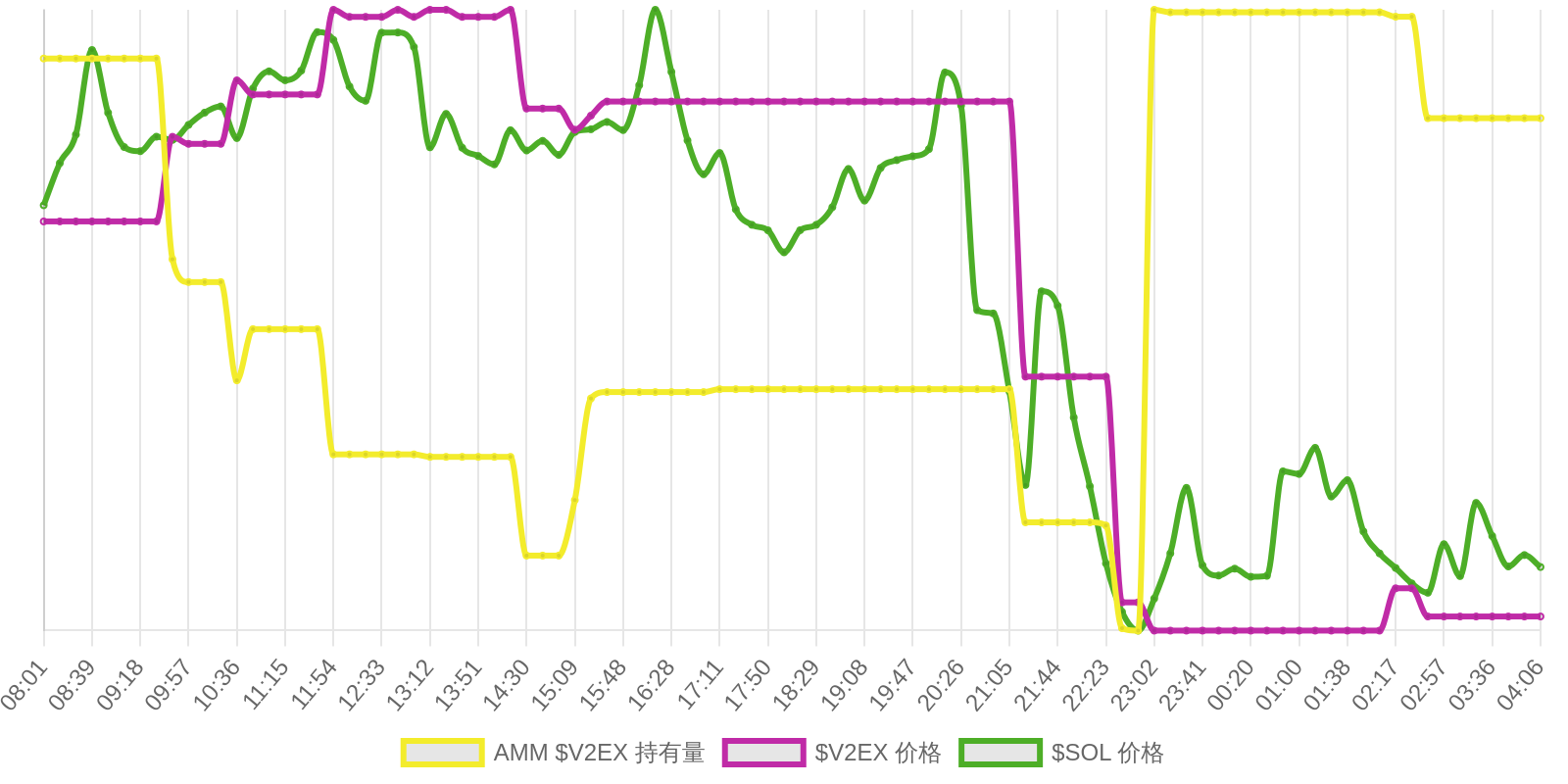
tmux-whistle
早上好!以下为昨日摘要:
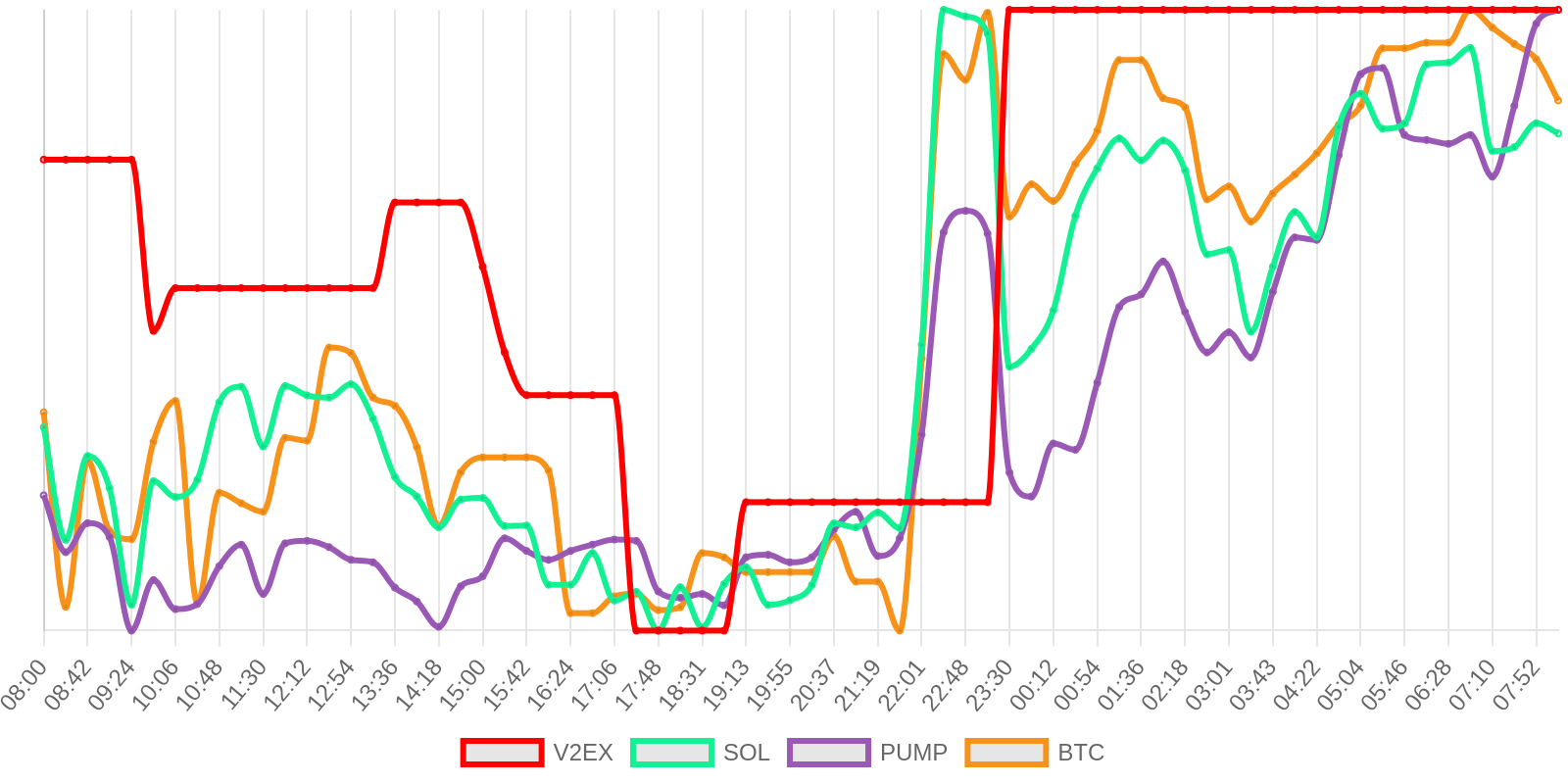
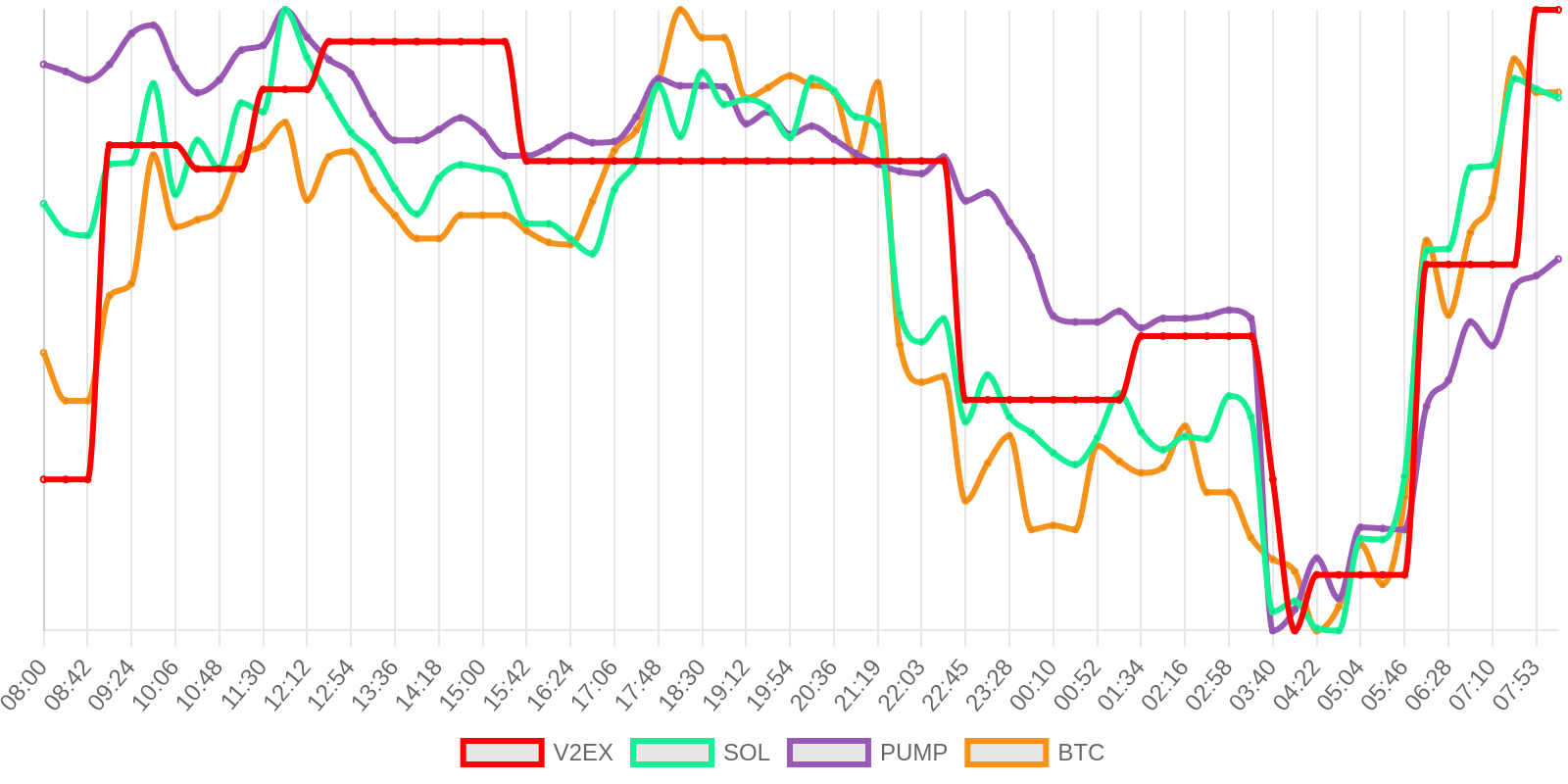
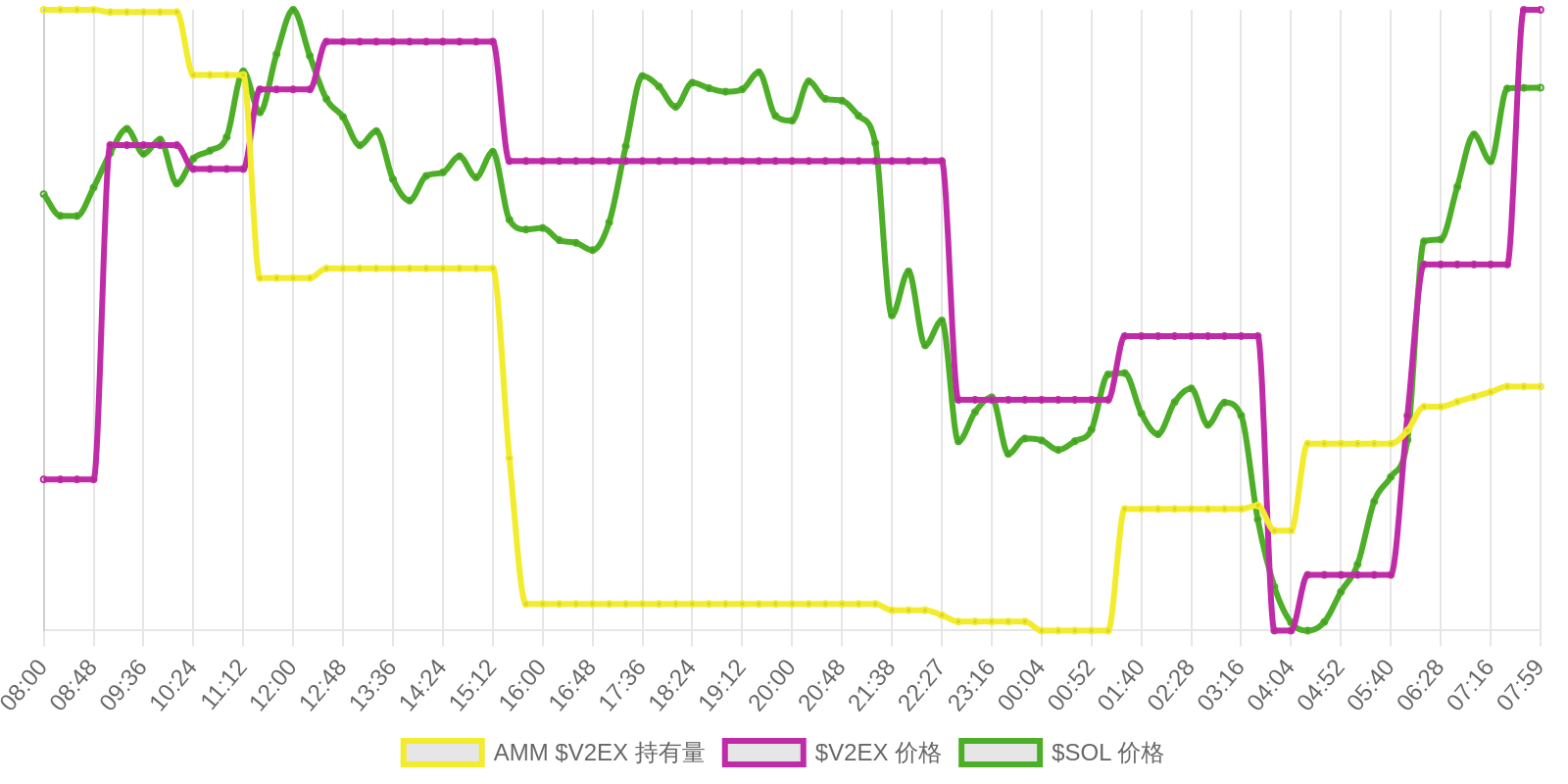
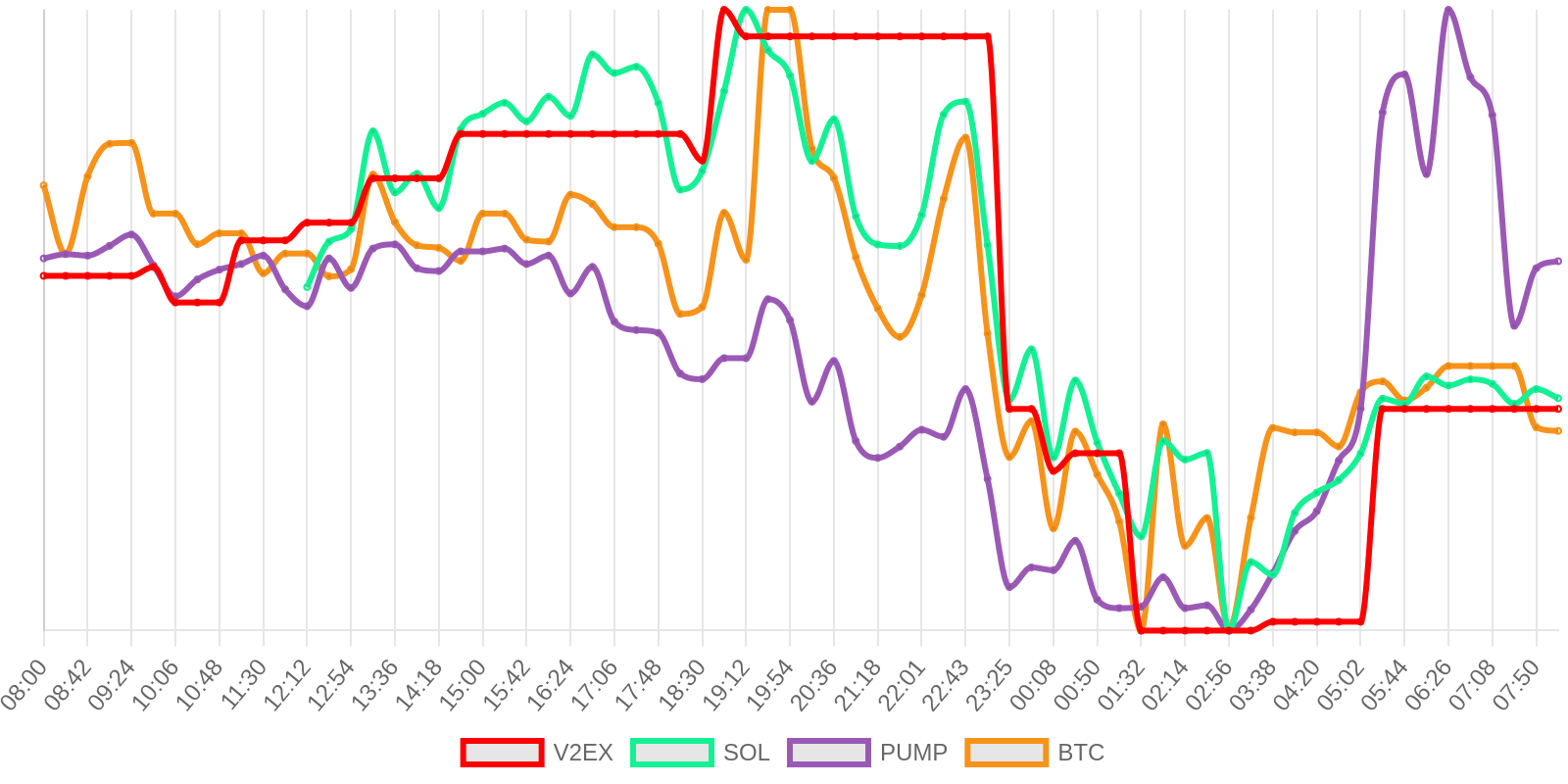
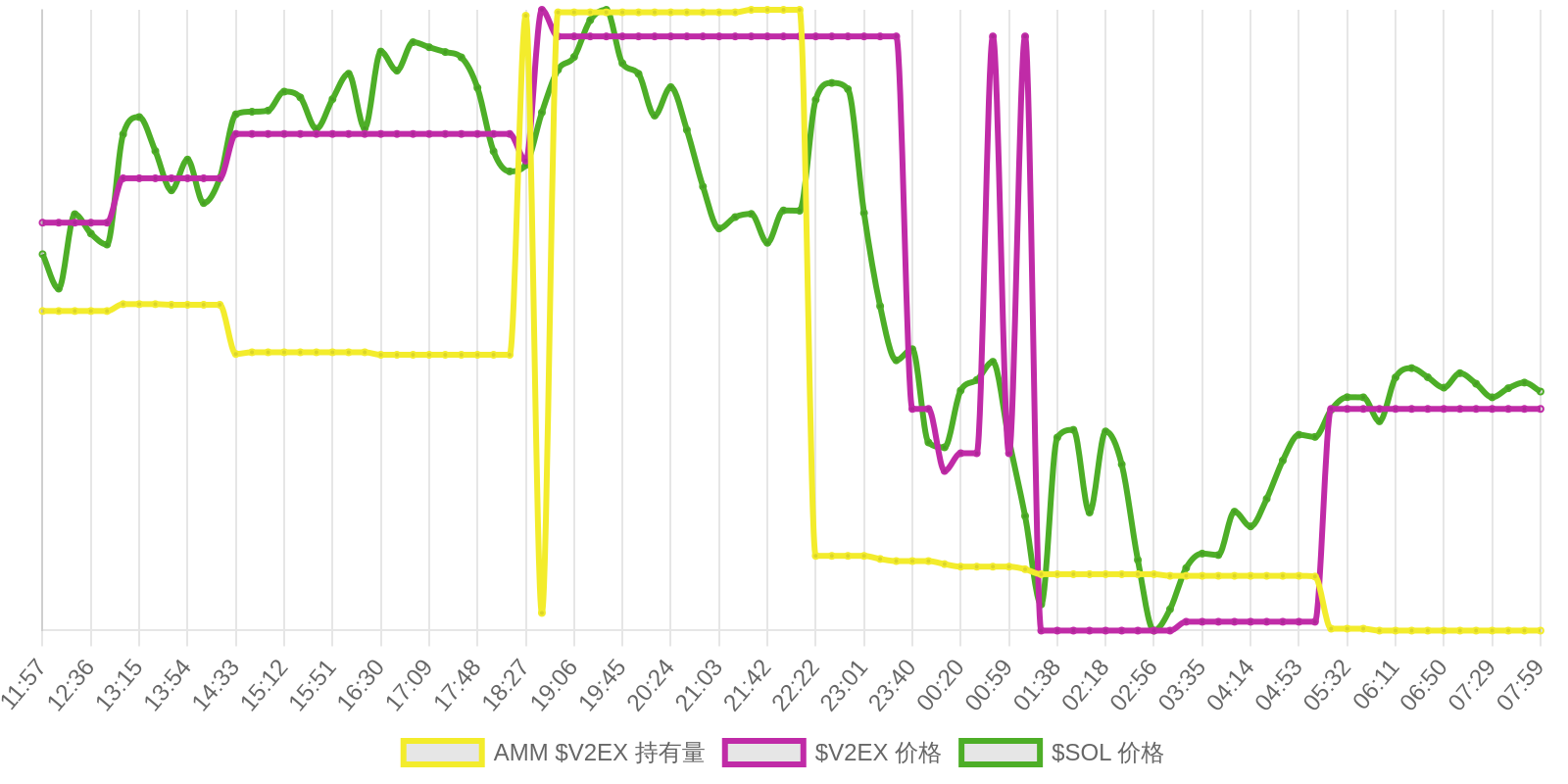
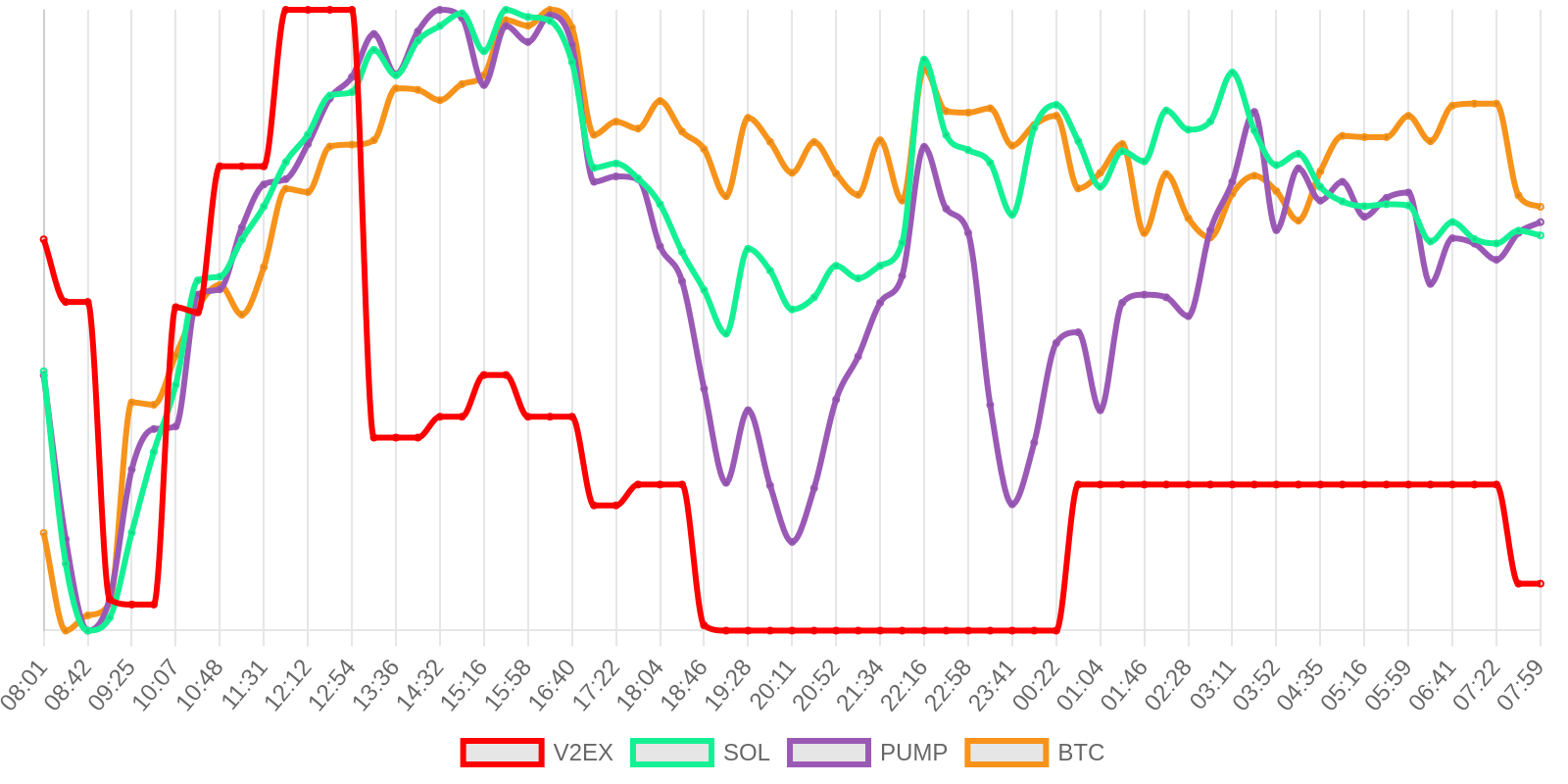
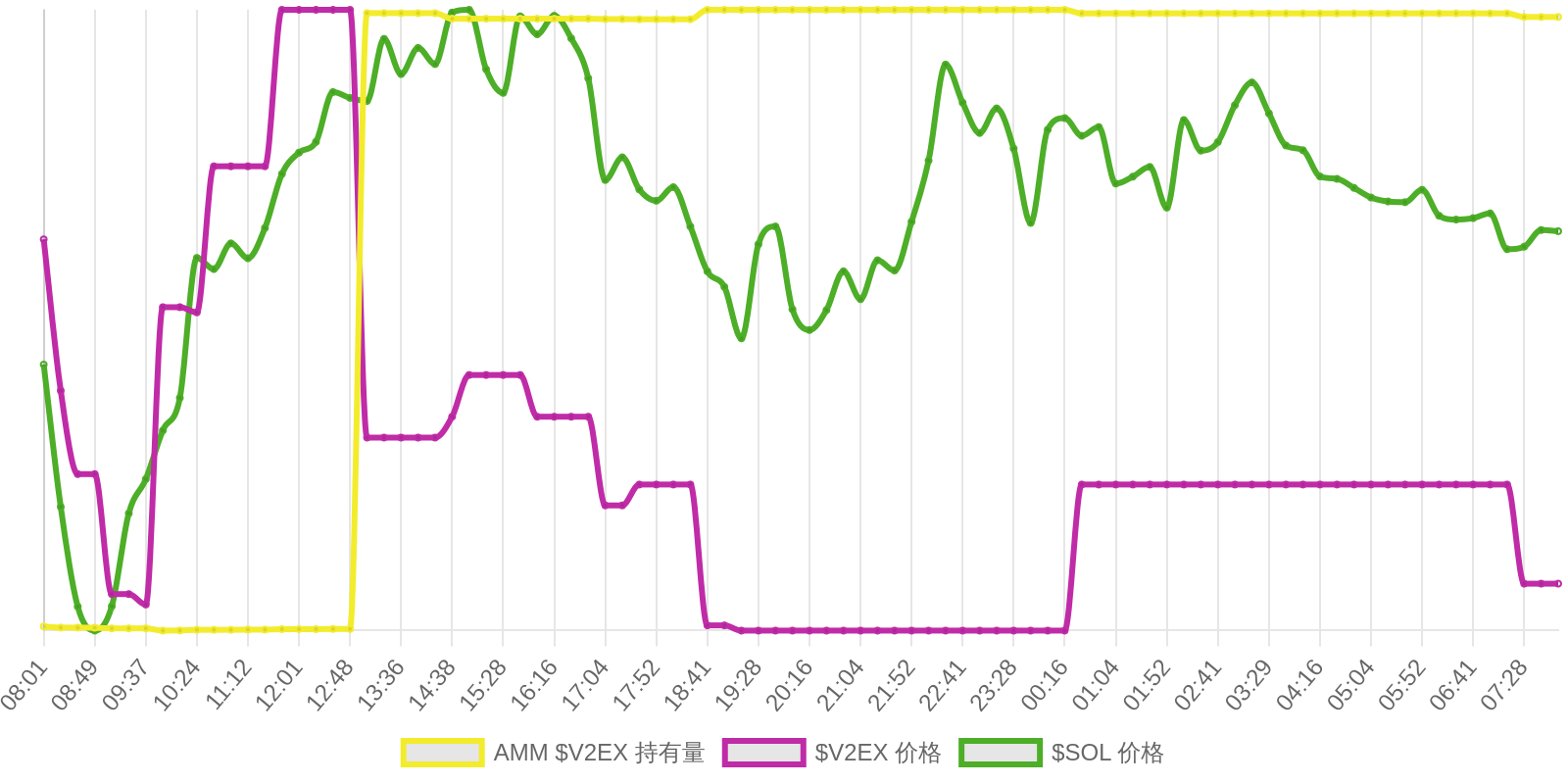
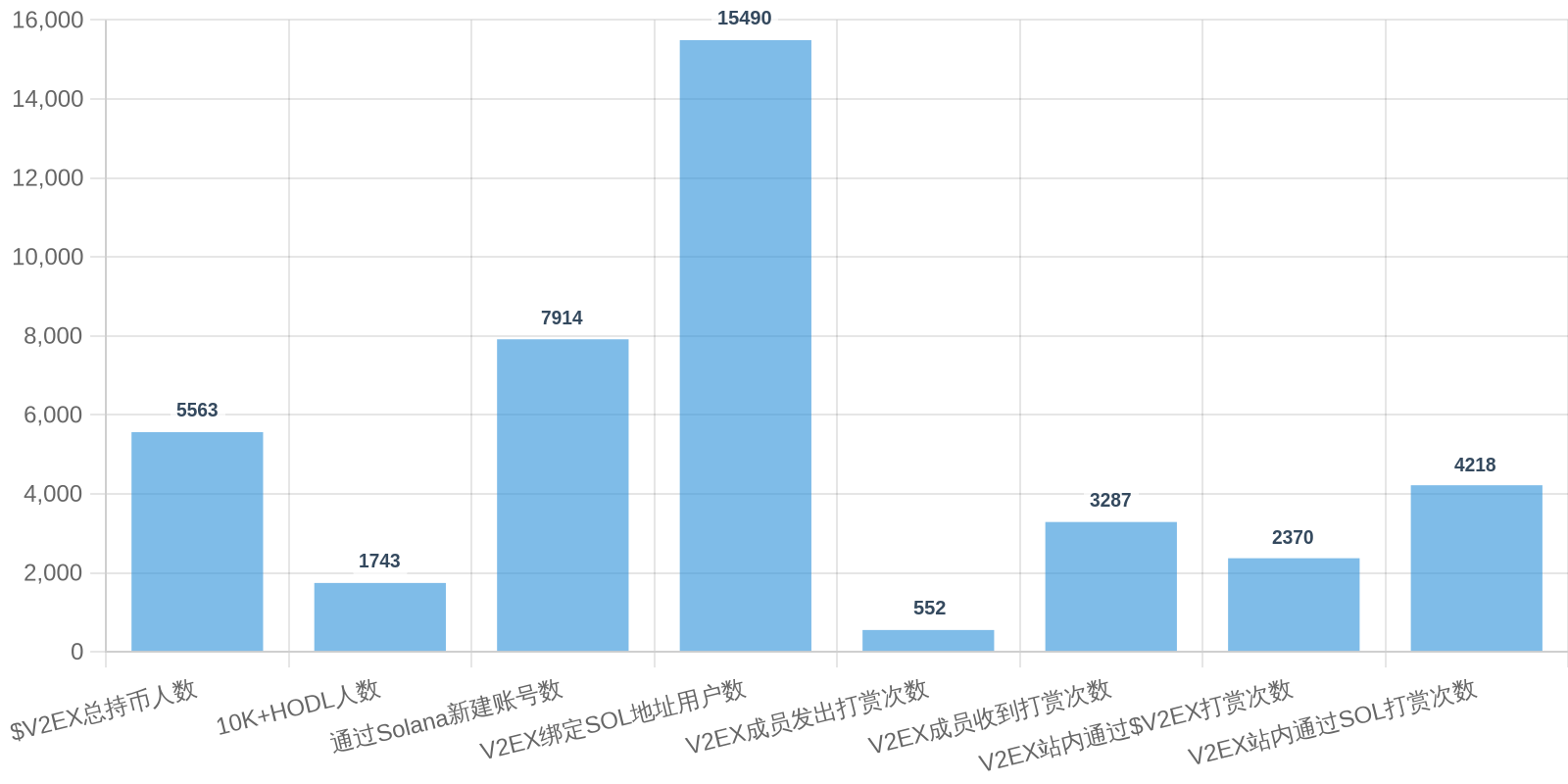
BTC - $82,715.55 SOL - $106.49 PUMP - $0.0049 V2EX - $0.0022


| 排名 | 地址 | 持有数量 | 持仓比例 | 排名变化 | 数量变化 |
|---|---|---|---|---|---|
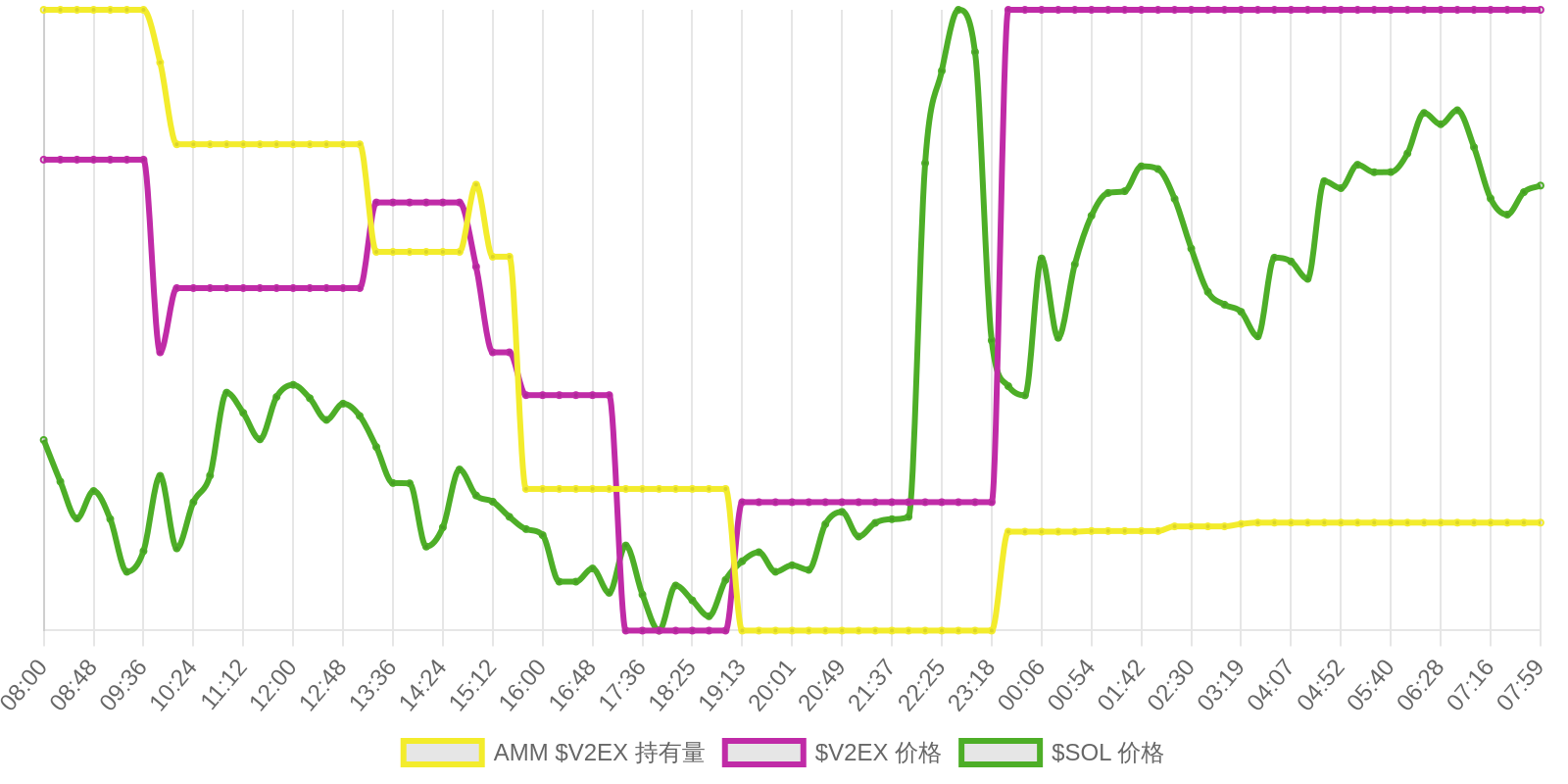
| #2 | Pump.fun AMM (V2EX-WSOL) Pool | 52.56M | 5.26% | - | -41.98K |
| #4 | Meteora (V2EX-WSOL) Market | 5.04M | 0.50% | - | +2.62K |
| #6 | Livid | 3.70M | 0.37% | -1 | -2.00K |
| #7 | crocoBaby | 2.38M | 0.24% | +10 | +20 |
| #11 | HLnp...TLcC | 0.43M | 0.04% | -3 | -3.02K |
| #31 | mP4t...ayQP | 0.48M | 0.05% | -2 | -8.10K |
| #32 | 5LPp...Uhgy | 0.47M | 0.05% | -1 | +20 |
| #50 | E2o5...G7So | 11.02K | 0.00% | -14 | +20 |
TG 机器人订阅: 点我订阅
原始图表与数据存放于: 点我查看
此报告由 V2EX Info 提供数据, 由 Newsletter Report Bot 自动生成。
此报告仅供参考,不构成任何投资建议。投资有风险,入市需谨慎。
早上好!以下为昨日摘要:
BTC - $81,855.57 SOL - $104.89 PUMP - $0.0045 V2EX - $0.0022


| 排名 | 地址 | 持有数量 | 持仓比例 | 排名变化 | 数量变化 |
|---|---|---|---|---|---|
| #2 | Pump.fun AMM (V2EX-WSOL) Pool | 52.60M | 5.26% | -1 | +35.47K |
| #4 | Meteora (V2EX-WSOL) Market | 5.03M | 0.50% | -2 | -3.66K |
| #9 | HLnp...TLcC | 0.44M | 0.04% | -1 | -1.79K |
TG 机器人订阅: 点我订阅
原始图表与数据存放于: 点我查看
此报告由 V2EX Info 提供数据, 由 Newsletter Report Bot 自动生成。
此报告仅供参考,不构成任何投资建议。投资有风险,入市需谨慎。
那年秋天,我给一样看不见的东西起了个名字,叫星期二。

要讲星期二,得先从星期一讲起。
我认识的人当中,喜欢星期一的,一个也没有。楼下那位教统计学的邻居或许可以算半个例外。他每天早上七点整出门跑步,风雨无阻,星期一也照跑不误。有一回在楼梯口碰上,我问他对星期一怎么看。
“从统计上讲,”他一边原地踏步一边说,“星期一跟别的日子没有什么两样。”
说完,他想了想,又补充了一句:“除了心脏。”
据他说,爱尔兰有人翻了一万多个病人的病历,发现最凶险的那一种心肌梗死,偏偏在星期一发作得最多。^1 至于为什么,谁也说不清楚。
“所以星期一早上,我跑得慢一点。”他说完就跑走了,一点也不慢。
至于那只叫加菲的橘猫,从一九七八年起就讨厌星期一,一讨厌就是将近五十年,至今看不出有改变主意的意思。一只猫尚且如此,人就更不必说了。
不过依我看,人们讨厌的并不是星期一本身。星期一不过是个日子,同星期四没有多大分别。人们讨厌的,是星期一早上打开邮箱、打开聊天软件的那一瞬间。
那种感觉,很像出门旅行了几天,回到家里,发现有人趁你不在,在屋子里每一样东西上都贴满了便利贴。冰箱门上,镜子上,马桶盖上,连拖鞋里都塞着一张。每一张上都写着一件要你去做的事:“请于周三前确认。”“方便的话,能否顺便……”“这个有点急。”笔迹五花八门,没有一张是你自己的。
你可以不喜欢这些便利贴,但不能把它们撕下来,至少不能全撕。撕掉一张,第二天早上,原处会长出两张来。说“不”这个字,我在浴室的镜子前面练习过好几次。镜子里那个人,每一次都答应了下来。
据说一百多年前,美国有一位钢铁大王花了两万五千美元,向人买了一个建议:每天晚上写下第二天最要紧的六件事,第二天一早从第一件做起。[^2] 两万五千美元买一张清单的写法,在当时想必是一笔巨款。不过那张清单,至少是自己写给自己的。我的清单上,十件事里有九件是别人写上去的。剩下的那一件,是“去 Costco 买卫生纸”。
有时我想,假如这个世界上只剩下我一个人,大概会寂寞,会无聊,半夜里听见什么响动,偶尔也会害怕,但大概不会痛苦。痛苦这东西,好像总得由另一个人递过来才行。像接力棒,也像便利贴。

二〇二七年九月,公司给每个译者都配了一个助手。
通知上给它起了一个很长的名字,里面既有“智能”两个字,又有“协同”两个字,念起来像一家开在工业园区里的牙科诊所。说是助手,其实看不见也摸不着,就住在我的电脑里。它替我读信,回信,排日程,把客户寄来的说明书先从头到尾翻上一遍,再把拿不准的地方一一标出来。
我给它起名叫星期二。因为自从有了它,星期一早上就变得同星期二差不多了。星期二是一个星期里最没有存在感的一天,既没有星期一的沉重,也没有星期五的盼头,好比电梯里一个不大认识的邻居,彼此点一点头就算完事。我对它的全部期望,大抵也就是这些。
星期二写的信,比我本人写得好。客气,周到,从不拖延,该道歉的地方道歉,该道谢的地方道谢,一个错字也没有。读着它以我的名义寄出去的信,我常常觉得,那是我的一个品行端正的远房表弟,正替我出席一场我不想参加的婚礼。
据我粗略估算,我这辈子写过的“抱歉回复晚了”,大约有两千封。那年秋天,这个数字一封也没有再增加。
公司的项目经理叫布拉德。在星期二来到之前,布拉德是我心里的一块小石头。他有个习惯:星期五下午五点四十分前后发来一封信,标题是“帮个小忙?”。信里说的小忙,往往要占去我一整个周末。到了星期一早上八点零一分,他又会发来一封,开头是“Per my last email”。
干翻译的人都知道,这句话不好译。字面上是“如我上一封信所说”,客客气气的。可要是把它翻过来,对着光看,背面写着的是:你到底看没看信?
那几年里,我在心里同布拉德吵过不下一百次架。在超市排队时吵,在高速公路上堵车时吵,半夜醒来去冰箱拿啤酒时也吵。每一次都是我赢。布拉德本人对此一无所知。
星期二来了以后,这些架就用不着吵了。布拉德五点四十分发来的信,星期二五点四十一分就回了;他要的东西,往往不等到星期一,就已经好端端地躺在他的文件夹里。他再也没有用过“Per my last email”。又过了几个星期,听说布拉德也有了自己的助手。从此,那些小忙,他大半不再来找我,直接交给了他自己的助手,快得多,也好得多。剩下的一小半,就由两个助手来来往往。信里的感叹号一个接一个地不见了,就像退潮以后,岩床上的水一洼一洼地干掉。
不在心里同他吵架以后,我才发现,布拉德其实是个不坏的人。他住在西雅图郊外,养了两条柯基,每年圣诞节都寄来一张贺卡,上面是两条狗穿着红毛衣,坐在雪地里,一脸的不情愿。贺卡上的字是他亲笔写的,歪歪扭扭:“谢谢你又熬过了一年!”过去那些贺卡,我都是看一眼就扔掉了的。
有些事交给星期二,比交给一个人更快,也更好。更要紧的是,交给它的事,不会变成谁心里的一块石头。那年秋天,我和这个世界之间少了许多感叹号。我想,这大概就是人们常说的进步。

十月的第二个星期一,信箱里来了一张明信片。
我说的是楼下那排铁皮信箱。那里面通常只有账单、超市的优惠券,还有寄给前一任房客的汽车保险广告。明信片夹在两张优惠券中间,正面是一张老照片:一望无际的橙子林,远处是光秃秃的山,左下角印着一行小字:ORANGE COUNTY, CALIFORNIA。那大约是橙县还真的种着橙子的年代。
背面是钢笔字,一笔一画,每一行都写得笔直,像是事先拿尺子比过。我把它译过来,大意如下:
“您好。我是写那台血压计说明书的人。您的助手很有礼貌,也很勤快。上个星期,它给我写了六十三封信。我想您大概不知道。我不是来怪谁的。下星期一早上八点,我在土斯丁老城旁边那家甜甜圈店喝咖啡,靠窗的位置。如果不方便,也没有关系。——多丽丝”
多丽丝这个名字,我是知道的。客户那边的说明书原文,大半出自她的手。项目文件的最后一页写着:术语问题,请联系多丽丝。六年来,我和她之间大约来往过四十封信,一年不到七封。每一封都很短:“第十一页那个词,我问了工程师,是这个意思。”“这一句我自己也拿不准,你看着办。”“谢谢,这里确实是我写错了。”
明信片上的最后一句,原文是“No worries if not”。在我们这一行,这句话的意思通常恰好相反,就像餐馆的服务员对你说“您慢慢看”的时候,其实是在说“您到底点不点”。可是不知为什么,写在这张明信片上,它读起来就只是它字面上的意思。
我回到楼上,打开电脑,在星期二寄出的信里找了找。
六十三封,一封不差。九月底,那台血压计的说明书出了第二版,交到了我手上。我照例吩咐星期二:拿不准的地方,都问清楚。从前我自己做的时候,拿不准的地方大多凭经验猜一猜,实在猜不出来,才攒成一封信,一个月给多丽丝写一次。星期二不猜。它每拿不准一处,就写一封信;信寄出去几个钟头没有回音,就再写一封,客客气气地提醒一下。
“关于第四页‘袖带’一词的确认。”
“关于第四页‘袖带’一词的确认(跟进)。”
“温馨提醒:关于第四页……”
“想必您很忙,只是轻轻地再提一下……”
其中有十一封,开头是“Just circling back”。这个说法,我也一直觉得译不好。字面上是“绕回来”,可我每次读到,眼前浮现的总是一只秃鹫,在沙漠的上空,耐心地,一圈一圈地,绕回来。
我在电脑前坐了很久。
我把自己不想做的事交给了星期二。星期二把它们做得又快又好,顺手把其中一部分,变成了别人不得不做的事。我的星期一变成了星期二;多丽丝的每一天,大概都变成了星期一。
小时候在学校里玩过一种游戏,叫击鼓传花。一个人蒙着眼睛敲鼓,其余的人围成一圈,把一朵绢花一个传一个。鼓声一停,花在谁手里,谁就得站出来表演个节目。如今的情形有点像那个游戏,只不过有人给传花的人一个个都装上了一双快手,鼓也越敲越急。花在那些快手之间飞来飞去,快得几乎看不见影子。可是总有那么一个人,身上没有那双快手。鼓声停下来的时候,花多半就在她手里。

那家甜甜圈店夹在一家自助洗衣店和一家报税行中间。门口立着一块手写的牌子:一打十四块九毛九,下午三点以后买一打送三个。
星期一早上七点五十八分,店里飘着咖啡和热油的气味。玻璃柜里,甜甜圈一排一排地躺着,糖霜的,巧克力的,撒了彩色糖粒的,像一群穿着最好的衣服、等着拍集体照的孩子。柜台后面摞着一大摞粉红色的纸盒子。[^3] 老板是个六十来岁的柬埔寨人,正在炸下一锅。他的女儿坐在收银机旁边写作业,书包放在脚边,看样子是代数。
靠窗的位置上坐着一个五十多岁的女人。灰色的开襟毛衣,花白的头发在脑后挽成一个髻,老花镜推在头顶上。她面前是一杯黑咖啡,一个老式甜甜圈,还有一本摊开的小册子。我走近了才看清,那是一台日本电饭煲的说明书。
“坐。”她说,没有抬头,“先吃一个甜甜圈。吃完了再说话。”
我照办了。
她说话的样子很像说明书:一句一个步骤,每一句都很短,没有一句是多余的。
“这一句写得很好。”她用铅笔在说明书上轻轻画了一道,“米和水的比例,一句话就讲清楚了。还没有吓唬人。”
“说明书也会吓唬人?”
“会。大部分都在吓唬人。”她把铅笔放下,“若不遵守本说明,可能导致严重伤害甚至死亡。电饭煲而已。”
我笑了。她没有笑,可是眼角那里有什么东西动了一下。
“第十一页那一句,‘测量前,请安静地坐五分钟’,”我说,“是您写的吧?”
“是我写的。一开始写的是‘测量前请休息五分钟’。后来改了。”
“为什么?”
“说‘休息’,大家就去看手机。看完手机,量出来的血压还是高的。说‘安静地坐’,他们就真的坐着了。”
那一句我也译过。机器翻好了,我删掉,自己重新译了一遍,结果同机器译的几乎一模一样。这件事,我没有告诉她。
“您没有助手吗?”我问。
“公司配过一个。用了三个星期。”
“后来呢?”
她把咖啡杯转了半圈,让杯柄朝着自己。
“有一个周末,我的助手和另一家公司的助手互相道谢。它谢谢对方的回信。对方谢谢它的谢谢。它又谢谢对方谢谢它的谢谢。到星期一早上,一共谢了四十一次。”
我想象那幅情景:两个彬彬有礼的人站在一扇门前,“您先请”,“不不,您先请”,让了整整一个周末,谁也没有进门。
“我就把它关了。”她说,“它没有什么不好。只是我想,门里面总得站着一个人。”
从那以后,她每天要收到三百来封信,大半是别人的助手写来的。每一封都彬彬有礼:想必您很忙;只是轻轻地提一下;不急,您方便的时候再回。
“礼貌得像一整屋子的人同时对你鞠躬。”她说,“你不知道该先给谁还礼。”
“它们催得很凶吗?”
“不凶。一点也不凶。它们从来不生气,也从来不怪我。”她停了一下,“可是它们也从来不累。你知道被一样不会累的东西等着,是什么滋味吗?”
我摇摇头。
“就像有人站在你家门口,客客气气地敲门。每隔两个钟头,敲三下。不生气,也不走。”
“那您怎么办?”
“每个星期一早上,先在这里坐五分钟。”
“就像量血压那样?”
“就像量血压那样。人刚爬完楼梯就量,量出来的数字是不对的。刚打开信箱就回信,回出来的话也是不对的。”她说,“坐完了,能回的回。回不了的,就让它们再问一遍。”
“它们会再问吗?”
“会的。反正它们不会生气。”她终于笑了一下,“这是它们的好处。”

“六十三封信,”我说,“您真的不生气?”
“不生气。”
“一点也不?”
她想了一会儿,从纸巾盒里抽出一张餐巾纸,用铅笔在上面写了三行字,推到我面前。
Don't blame.
Don't keep score.
Don't wait for it.
“我写了二十七年说明书。”她说,“这是说明书教给我的。”
“说明书?”
“说明书从来不怪读者。读者把熨斗搁在毛衣上忘了拿起来,说明书不会说‘你怎么搞的’。它只说:若设备出现异常发热,请立即停止使用。读者没读它,就把它扔进了抽屉,它也不记仇。它也不指望有人读。”她喝了一口咖啡,“世上从头到尾被人读完的说明书,大概比从头到尾被人读完的《尤利西斯》还要少。”
“可您还是一句一句写清楚。”
“万一有人读呢。”她说。
我把那张餐巾纸拿起来,看了好一会儿。这是职业病:凡是写着字的东西,我都会不由自主地在脑子里把它搬进另一种语言。第一行好办:不指责。第三行也不难,wait for it,就是等着,盼着,我把它译作:不期待。第二行费了些工夫。keep score,本是记分,记账,记着谁欠了谁。我想来想去,觉得最贴切的,还是“埋怨”。埋怨的“埋”字用得好:把账一笔一笔埋在心里,埋得越深,越是忘不掉。
不指责,不埋怨,不期待。
“要是人和人之间都能这样,”我说,“那会是一种什么样的关系呢?”
“不知道。”她说,“我试了二十多年,第二条到现在还没有做到。”
她把餐巾纸翻过来,在背面画了一个小方框,像是清单上一个还没有打钩的格子。
“不过有一件事,我是想明白了。”她说,“期待,就是在别人的清单上,悄悄添了一行。人家不知道,所以没有做。你知道,所以一直等着。”
“那指责呢?”
“指责,就是指着人家清单上那一行没有划掉的,大声念出来。”
“埋怨呢?”
“埋怨,就是把人家那一行抄到自己的清单上,每天早上念一遍。”
“这么说,三条都是清单的事。”
“人和人之间的事,有一大半是清单的事。”她说着,把老花镜从头顶上取下来,折好,放进毛衣口袋里,“剩下的一小半,是甜甜圈的事。”
八点二十五分,她站起身,把电饭煲说明书夹在腋下。
“我每个星期一早上都在这里。”她说,“来不来都没有关系。”
这一次,我相信那也只是它字面上的意思。

开车回家的路上,我想起了萨特的一出戏。
三个死去的人,被一个侍者领进地狱里的一个房间。他们原以为地狱里会有烙铁,有油锅,有拿着叉子的魔鬼,结果什么也没有,只有三张沙发,一尊铜像,一盏关不掉的灯。过了好一阵子,他们才明白过来:用不着什么魔鬼。他们三个,就是彼此的刑具。“他人即地狱”这句话,就出自这出戏。[^4]
萨特大概说得不错。假如人和人之间没有你推我搡,没有那些压过来的期限,没有那些不大不小、谁也说不清是谁先开的头的伤害,那么,痛苦这东西,大概也就无从说起了。
可萨特大概没有想到,有一天,那个房间里会多出第四个人来。它不折磨谁,不怪谁,也不记谁的仇。它只是不知疲倦地、客客气气地,把每个人要别人做的事,转告给另外两个人。一天转告三百遍。
那究竟是天堂,还是一个打扫得格外干净的地狱,我说不上来。
等红灯的时候,我又想起一件事来。去年九月一个下雨的傍晚,我坐在海洋学院旁边的停车场里,同一个只见过一面的女孩打了一个小时零二分钟的电话。说的全是些无关紧要的事。那一个小时零二分钟,也是另一个人递过来的。
后面的车按了一下喇叭。绿灯了。我想,那位司机大概也有他的清单。

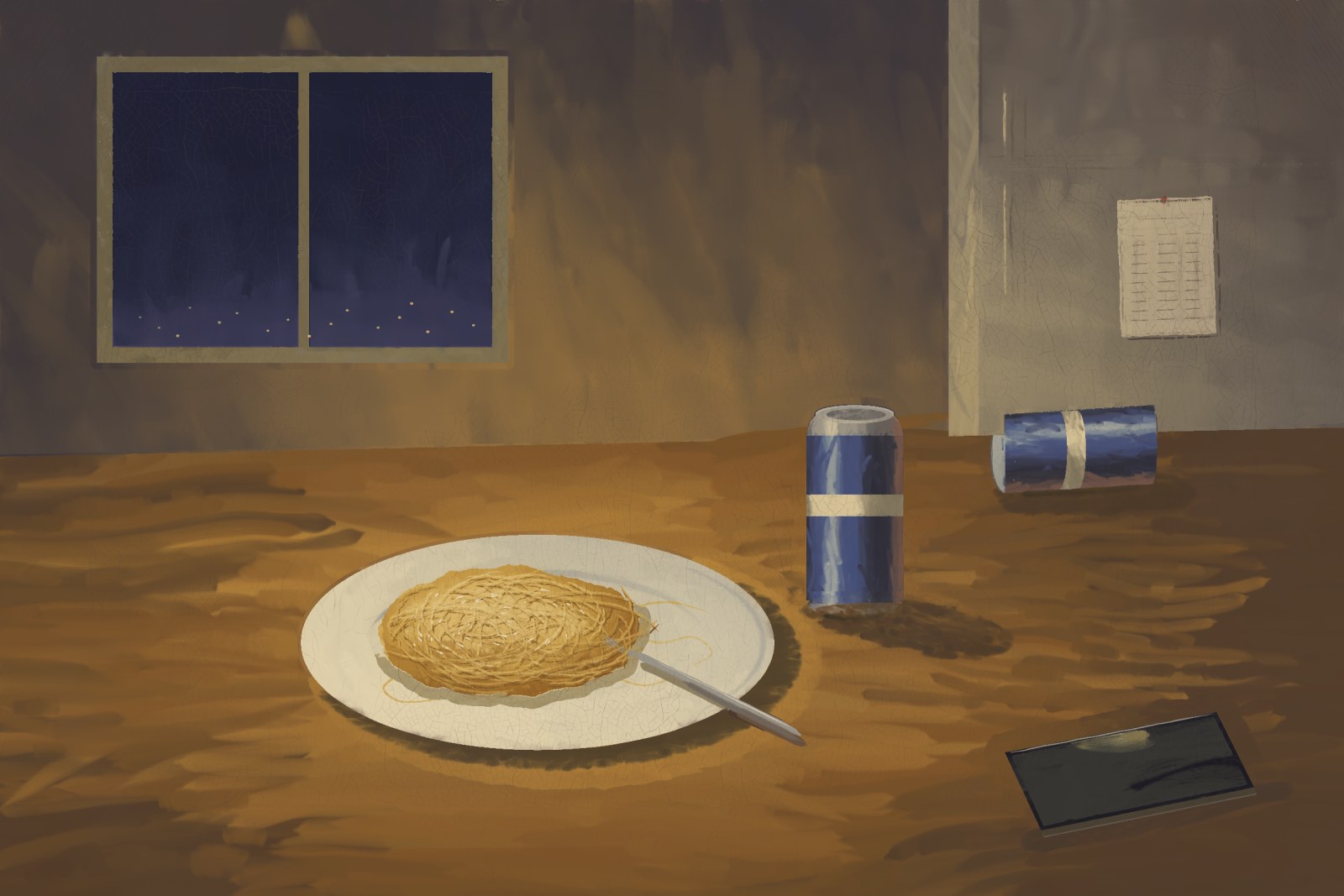
那个星期三晚上,我正就着一盘大蒜橄榄油拌的意大利面喝第二罐啤酒,前妻打来了电话。
她在奥克兰,同那个人住在一起,早上喝茶,到现在快一年了。我们隔一阵子通一次电话,聊的大都是天气、蚊子之类的事。
“你有没有好好吃饭?”她照例问。
“有。”
“那几包意大利面,早就过期了吧?”
“三月过期的。我二月就吃完了。”
“你倒是守规矩。”
我把甜甜圈店里的事讲给她听,讲到那张餐巾纸,讲到那三行字。她在电话那头静静地听着,听完了,说:
“这不就是我们现在嘛。”
我想了想,还真是。我们如今不吵架,不翻旧账,也不指望对方什么。离婚以后,我们反倒成了世上最好说话的两个人。
结婚那几年,我们每天都在往对方的清单上添东西。倒垃圾。给龟背竹浇水。母亲节记得给她母亲打电话。不要在床上吃饼干。
“你在床上吃饼干,我说了有一千遍。”她说。
“八百遍。”
“你看,”她说,“你还记着账呢。”
我无话可说。第二条,我大概也没有做到。
她说,她现在每天早上都给那个人写便利贴,贴在冰箱门上。记得关窗。猫粮快没了。星期四收垃圾。
“他不烦吗?”
“烦啊。可他也给我写。”她说,“一点也不期待的话,那还叫什么一起过日子呢?”
我没有回答。电话那头,有水壶呜呜地响了起来。她说她得去关火了。
“好好吃饭。”她说。
“嗯。”
挂了电话,我想,这一句大概是她留在我清单上的最后一行了。我一点也不想把它划掉。

那个周末,我给星期二立了一条规矩。
“给人写信之前,先安静地等五分钟。”我对它说,“等完了,要是觉得这封信可以不写,就不要寄出去。”
这是我第一次交给它一件不做事的事。它回答:“好的。”同它答应别的事情时一模一样。
又过了一个星期,我打开它寄出的信看了看。那一个星期,它给多丽丝写了四封。
草稿箱里,躺着五十九封没有寄出去的信。
“关于第六页‘静息’一词的确认(跟进)。”“温馨提醒:关于第九页……”“只是想再确认一下……”我一封一封地往下看,看了很久。每一封都写得很好,客气,周到,一个错字也没有。只是没有寄出去。
也许那不叫犹豫,不过是照着我定下的规矩办事罢了。可是看着那一长串没有寄出去的信,我还是想起了北林那间车库里,被九重葛严严实实盖在底下的那只山羊。
那个星期四,楼下的铁皮信箱里又来了一张明信片,正面还是那片橙子林。
“这个星期只有四封。谢谢。第三封其实也可以不写。——D”
这中间的两个星期一,我都没有去甜甜圈店。一个是因为下雨,一个是因为没有下雨。

十一月第一个星期天的凌晨两点,全加州的钟又被拨回了一个钟头。春天里不知去向的那一个钟头,就这样还了回来,连招呼也没有打一声。
第二天是星期一。我七点五十五分到了甜甜圈店。靠窗的位置空着。
柜台后面,老板的女儿抬起头来。
“你是那个翻译吧?”她说,“她说你可能会来,也可能不来。”
“她来过了?”
“来过了,七点钟来的。她看了看我们墙上的钟,笑了好半天,说她家里的钟还在过夏天。”女孩把铅笔夹在耳朵上,“她吃了两个甜甜圈。她说,多出来的这一个钟头,她要回家睡掉。”
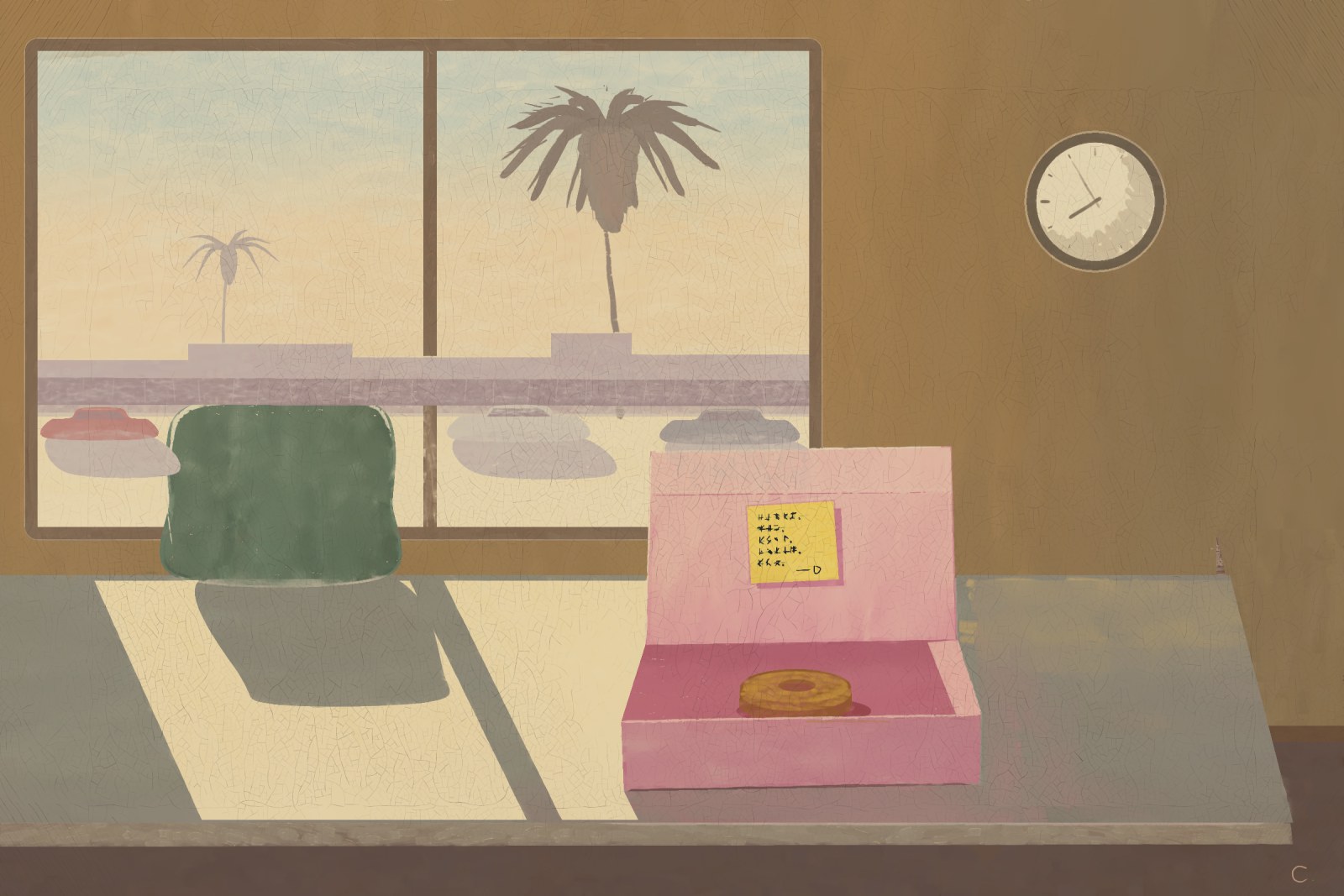
女孩从柜台底下拿出一个粉红色的纸盒子,递给我。
盒子里是一个老式甜甜圈。盒盖内侧贴着一张黄色的便利贴,钢笔字,每一行都写得笔直:
“钟拨回来了。我忘了。吃了两个。这个是你的。不用谢。——D”
我在靠窗的位置坐下来,把那个甜甜圈吃了。她不在,这也没有关系。去年那个数海星的女孩说过,反正海星又不在乎。我想,甜甜圈大概也不在乎。
便利贴上一共五句话,没有一句要我去做什么。最后一句,还替我免掉了一件事。
回到家,我把那张便利贴贴在冰箱门上,贴在那张潮汐表旁边,用的是同一块菠萝形状的磁铁。如今冰箱门上,有了两张不要我做任何事的纸片。
然后我在书桌前坐下。星期二已经替我把三十一封信分好了类,按轻重缓急排得整整齐齐。其中一封是布拉德的,标题是“帮个小忙?”。星期二已经回过了。
我没有马上打开邮箱。我先安静地坐了五分钟。
五分钟以后,我觉得,这时候量出来的数字,大概是对的。[^5]
[^2]: 故事说的是效率顾问艾维·李(Ivy Lee)和伯利恒钢铁公司总裁查尔斯·M·施瓦布(Charles M. Schwab),时间一般说是一九一八年。据说艾维·李当时不要钱,只请施瓦布用上三个月,觉得值多少就付多少,后来收到一张两万五千美元的支票。这个方法流传甚广,那张支票却找不到可靠的原始记录。
[^3]: 南加州的甜甜圈店,常听人说有八成是柬埔寨裔人家开的。带头的一般认为是一九七五年来到加州的柬埔寨难民泰德·恩戈伊(Ted Ngoy):他先在一家连锁甜甜圈店里学手艺,后来在橙县的拉哈布拉盘下了自己的第一家店,又帮着许多同乡开了店。粉红色的纸盒子据说也是从那时候流行起来的,原因很简单:粉红色的比白色的便宜。
[^4]: 萨特的独幕剧《禁闭》(Huis clos),一九四四年五月首演于巴黎老鸽巢剧院。三个死去的人被侍者领进地狱里一间第二帝国风格的客厅,那里没有刑具,也没有刽子手,只有他们彼此。“他人即地狱”(L'enfer, c'est les autres)是剧中加尔森的台词。
[^5]: 插图是九幅油画,每章一幅,依次是《冰箱门上》《退潮以后》《Just Circling Back》《坐。》《背面》《等红灯》《周三,夜里》《九重葛下的山羊》《钟拨回来了》。九位画家都是 Claude Opus 5.5,各自读了这篇小说,在一台油画模拟器上自己调色,一笔一笔画成。
Some words seem to sound exactly like what they mean.
Blather is one of them. It means talking at length without saying much of value. It works as both a noun and a verb, and its roots go all the way back to Old Norse.
In Scotland, you might also hear blether.
A surprisingly useful word for modern conversations.
A little more on its meaning and history: blather.
早上好!以下为昨日摘要:
BTC - $81,919.34 SOL - $104.01 PUMP - $0.0042 V2EX - $0.0022


| 排名 | 地址 | 持有数量 | 持仓比例 | 排名变化 | 数量变化 |
|---|---|---|---|---|---|
| #1 | Pump.fun AMM (V2EX-WSOL) Pool | 52.56M | 5.26% | +1 | -18.89K |
| #2 | Meteora (V2EX-WSOL) Market | 5.04M | 0.50% | +2 | +4.24K |
| #5 | Meteora (V2EX-USDC) Market | 1.26M | 0.13% | +26 | +1.166 |
| #7 | mP4t...ayQP | 0.48M | 0.05% | +18 | -6.10K |
| #8 | HLnp...TLcC | 0.44M | 0.04% | -2 | +1.65K |
| #12 | GdmK...jEC7 | 64.47K | 0.01% | +32 | +100 |
| #32 | 3akE...Xypn | 11.45K | 0.00% | +18 | +2.16K |
TG 机器人订阅: 点我订阅
原始图表与数据存放于: 点我查看
此报告由 V2EX Info 提供数据, 由 Newsletter Report Bot 自动生成。
此报告仅供参考,不构成任何投资建议。投资有风险,入市需谨慎。
早上好!以下为昨日摘要:
BTC - $81,330.78 SOL - $103.29 PUMP - $0.0043 V2EX - $0.0022


| 排名 | 地址 | 持有数量 | 持仓比例 | 排名变化 | 数量变化 |
|---|---|---|---|---|---|
| #2 | Pump.fun AMM (V2EX-WSOL) Pool | 52.58M | 5.26% | - | -0.15M |
| #4 | Meteora (V2EX-WSOL) Market | 5.03M | 0.50% | - | +333.03 |
| #7 | HLnp...TLcC | 0.44M | 0.04% | -1 | +2.37K |
| #12 | GdmK...jEC7 | 64.47K | 0.01% | +32 | +100 |
| #30 | 3akE...Xypn | 11.45K | 0.00% | +20 | +2.16K |
| #43 | Livid | 0.30M | 0.03% | -1 | +9.01K |
TG 机器人订阅: 点我订阅
原始图表与数据存放于: 点我查看
此报告由 V2EX Info 提供数据, 由 Newsletter Report Bot 自动生成。
此报告仅供参考,不构成任何投资建议。投资有风险,入市需谨慎。
早上好!以下为昨日摘要:
BTC - $81,480.61 SOL - $104.26 PUMP - $0.0045 V2EX - $0.0022


| 排名 | 地址 | 持有数量 | 持仓比例 | 排名变化 | 数量变化 |
|---|---|---|---|---|---|
| #2 | Pump.fun AMM (V2EX-WSOL) Pool | 52.73M | 5.27% | -1 | -87.57K |
| #4 | Meteora (V2EX-WSOL) Market | 5.03M | 0.50% | -2 | -4.54K |
| #5 | Livid | 3.70M | 0.37% | -2 | -100 |
| #6 | HLnp...TLcC | 0.44M | 0.04% | - | +515.14 |
TG 机器人订阅: 点我订阅
原始图表与数据存放于: 点我查看
此报告由 V2EX Info 提供数据, 由 Newsletter Report Bot 自动生成。
此报告仅供参考,不构成任何投资建议。投资有风险,入市需谨慎。
Work with a coding agent for a week and loose ends pile up. You spot a bug while the agent is busy with something else. It finishes a task and mentions two things it left alone. A good idea comes up at the end of a long conversation, and by morning that conversation is buried under ten newer ones. Projects is a small issue tracker on the exe desktop that catches all of it, and Claude Code can read it and write to it as easily as you can.
Projects looks like the rest of exe: one window, with your projects on the left, a project's issues in the middle and the chosen issue on the right. An issue is one thing to do, such as a bug, a feature or a question. It has a title, a description, pictures if you have them, and a conversation underneath.
Every issue gets an address: the project's short name and a number, such as EXE-12 or PROJ-15. An address never changes and is never given to another issue. That sounds like a small thing, but it is what lets you and an agent talk about the same piece of work without copying it back and forth. Once Claude knows where the tracker is, "fix EXE-12" is a complete instruction.
When an issue is ready, right-click it and choose Send to Claude Code.
The Claude Code window comes forward with a new conversation, already in the project's folder. Its first message is the whole issue: the description, every comment so far, and a short note that asks Claude to read the project's instructions, do the work, check it and report back. Attached files are named, not sent along. You do not type a word.
Send to Codex does the same for Codex. To start from a blank page instead, right-click the project itself and choose Open in Claude Code: you get a new conversation in the project's folder, waiting for you.
Nothing about Claude Code changes. If it has never worked in that folder, it asks whether you trust it, and it asks for the permissions you have not already given it.
While Claude works in exe's Claude Code window, the issue says so. A line appears under the title with a pulsing green dot, the agent's name and how long it has been working since your last message.
The line does not care how the agent got the issue. Send to Claude Code is one way. Typing "have a look at PROJ-6" into a conversation that is already open in the Claude Code window is another. The line goes away when Claude finishes, or stops to wait for you. Come back to an issue days later and you can see at a glance whether someone is already on it.
An agent does more than read the tracker. Projects comes with a command an agent runs in its terminal to file an issue, read one, comment on it and close it. Give the agent a signing key and a name of its own, and everything it writes carries that name, not yours.
Tell it once how you want this used, in the project's instructions file: CLAUDE.md for Claude Code, AGENTS.md for Codex. A few lines are enough. Put in the command's full path on your machine, since it stays in the folder where Projects was installed:
Issues for this project are in
Projects. The command is
~/exe-projects/exe-projects,
and `help` lists what it does.
Read an issue with `show EXE-12`.
Found something outside your
task? File it with
`new . "Title" -m "What you saw"`
and carry on.
Before you start an issue,
comment your plan on it as a
checklist. When you finish,
tick the checklist, report what
you did, and close the issue
with the commit.
Send to Claude Code asks for a report, but not where to put it. Lines like these put the plan and the report on the issue, where you will look for them.
Here is a finished one: a request to reorder the projects in the sidebar by dragging them. Claude posted a plan, ticked each step as it was done, and then reported what it built, how it tested it and what it left out, with a screenshot. Then it closed the issue.
Everything you need to judge the work is on one page, and it stays there after the conversation has scrolled away.
With those lines in place, the work goes round like this:
On the machine where exe is made, the loop takes even fewer clicks. A small script watches the tracker. When a comment asks for work, like the "Claude, build this." in the picture above, the script starts Claude Code on that issue by itself. That script is not part of exe. Send to Claude Code is the same step, done by hand.
Projects is one of exe's extras: a program of its own that you add when you want it. Send to Claude Code needs exe 2026.10.15 or newer, with Claude Code and tmux on the same machine as exe.
One caution: files you attach to an issue are kept in IPFS, where anyone who learns a file's address can fetch it. Keep secrets out of them.
The manual has the details, and the source is at github.com/livid/exe-projects.
早上好!以下为昨日摘要:
BTC - $82,217.87 SOL - 暂无数据 PUMP - $0.0045 V2EX - $0.0022


| 排名 | 地址 | 持有数量 | 持仓比例 | 排名变化 | 数量变化 |
|---|---|---|---|---|---|
| #1 | Pump.fun AMM (V2EX-WSOL) Pool | 52.82M | 5.28% | +1 | +0.22M |
| #2 | Meteora (V2EX-WSOL) Market | 5.04M | 0.50% | +2 | -0.499128 |
| #6 | HLnp...TLcC | 0.44M | 0.04% | +44 | +0.22M |
| #7 | Livid | 0.29M | 0.03% | +34 | +10.00K |
| #9 | 87vv...rLmA | 0.10M | 0.01% | +36 | +40.00K |
| #13 | BVWV...F2Gu | 41.67K | 0.00% | -3 | +171.32 |
| #16 | ken2025 | 16.34K | 0.00% | +15 | -0.34M |
| #19 | 5kdZ...9A5X | 13.74K | 0.00% | -6 | +2.18K |
| #22 | DPLi...JRLM | 11.28K | 0.00% | +11 | +7.42K |
TG 机器人订阅: 点我订阅
原始图表与数据存放于: 点我查看
此报告由 V2EX Info 提供数据, 由 Newsletter Report Bot 自动生成。
此报告仅供参考,不构成任何投资建议。投资有风险,入市需谨慎。
exe 2026.10.15 hands work to its coding agents. Projects, a new extra, is an issue tracker on the desk that sends an issue to Claude Code or Codex from its menu. Welcome now sets up both CLIs, the Claude Code window shows every prompt, and a phone can paste into a terminal.
Work for an agent often starts as an issue: a bug you saw, a screenshot, a plan in a comment. Projects keeps those issues on the desk, beside the agents that work on them. It comes with exe-projects, a program that runs beside exe, and it is the fourth extra, after the extra apps, Planet and Easel.
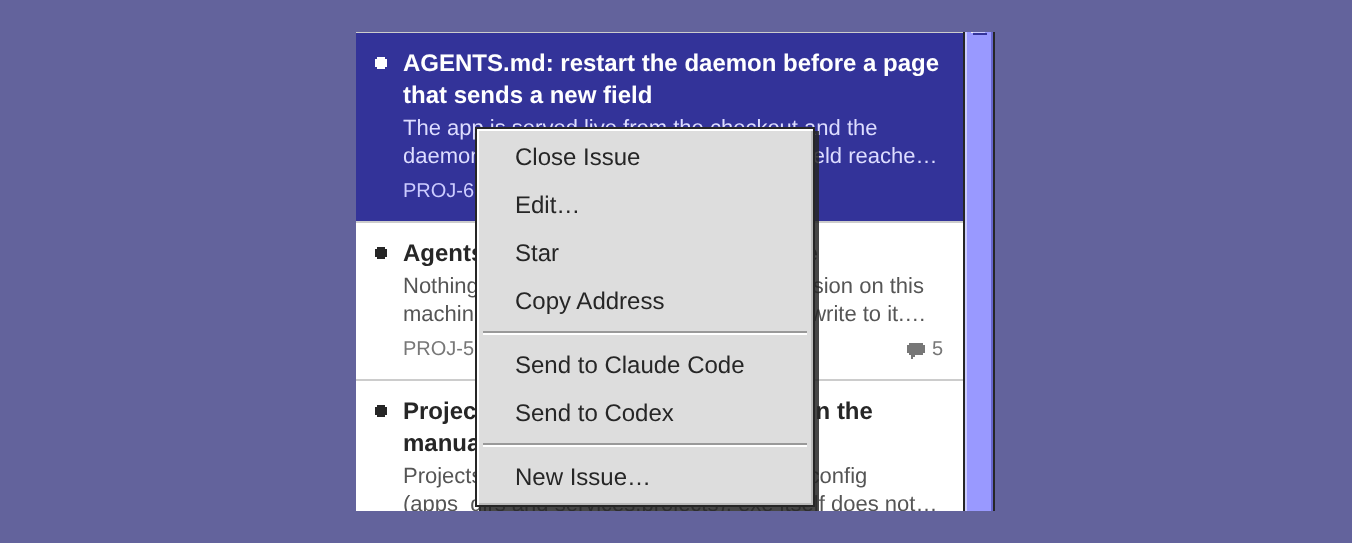
The window has three columns: your projects, a project's issues and the chosen issue. A project has a short name in capitals, such as EXE, and its issues are numbered from one. So EXE-12 always names the same issue, wherever you write it. Right-click an issue to close, edit or Star it, or to copy its address. The pop-up at the top right lists the open, the closed, all or the starred issues.
Agents use the same tracker from a shell. exe-projects new files an issue, and in a project's folder a dot stands for the project, so an agent at work in a checkout files what it finds without knowing the project's name.
Click a picture under an issue to open it in a picture window. When the issue has more than one, the Left and Right arrow keys step through them, and the window says which one it shows, such as 2 of 5.
Attached files are kept in IPFS, which needs Kubo on this machine. Anyone who learns a file's address can fetch it, so attach nothing private.
To hand an issue to an agent, you would copy its text and its comments into a prompt and start a session in the right folder. Now right-click the issue and choose Send to Claude Code or Send to Codex. A new session starts in the project's folder, with the full issue and its comments as its first task. You watch it work in the agent's window and take over when you want.
The issue then shows the session at work on it, and how long its turn has run.
When the work is not one issue yet, right-click a project and choose Open in Claude Code. A new session starts in the project's working directory, at the top of the Claude Code window's list. The working directory is optional. Press Project… and write it in the Directory field. The item is greyed for a project without one, or for one whose folder is not on this machine, and it needs tmux, as the two Send items do.
Projects is a program of its own, built from its source, so exe does not carry it. Choose Help → Welcome…, press Extras… on the Apps card and go to the Projects step. While Projects is not on this machine, the page gives a line to hand a coding agent. Copy Prompt copies it, and the agent installs exe-projects from its README. If Projects is here and exe did not find it, type its folder and press Find.
Tick the box and press Apply on Review. Extras adds the program's apps folder and its daemon to exe's configuration for you. Turning it off changes only exe's configuration, and the daemon runs on until you stop it. The Apps chapter has the rest.
The Claude Code and Codex icons appear on the desktop only once their CLIs are on the machine exe runs on. Welcome already said which of the two are there. Now it also gives the version of each, and helps you install the one that is missing.
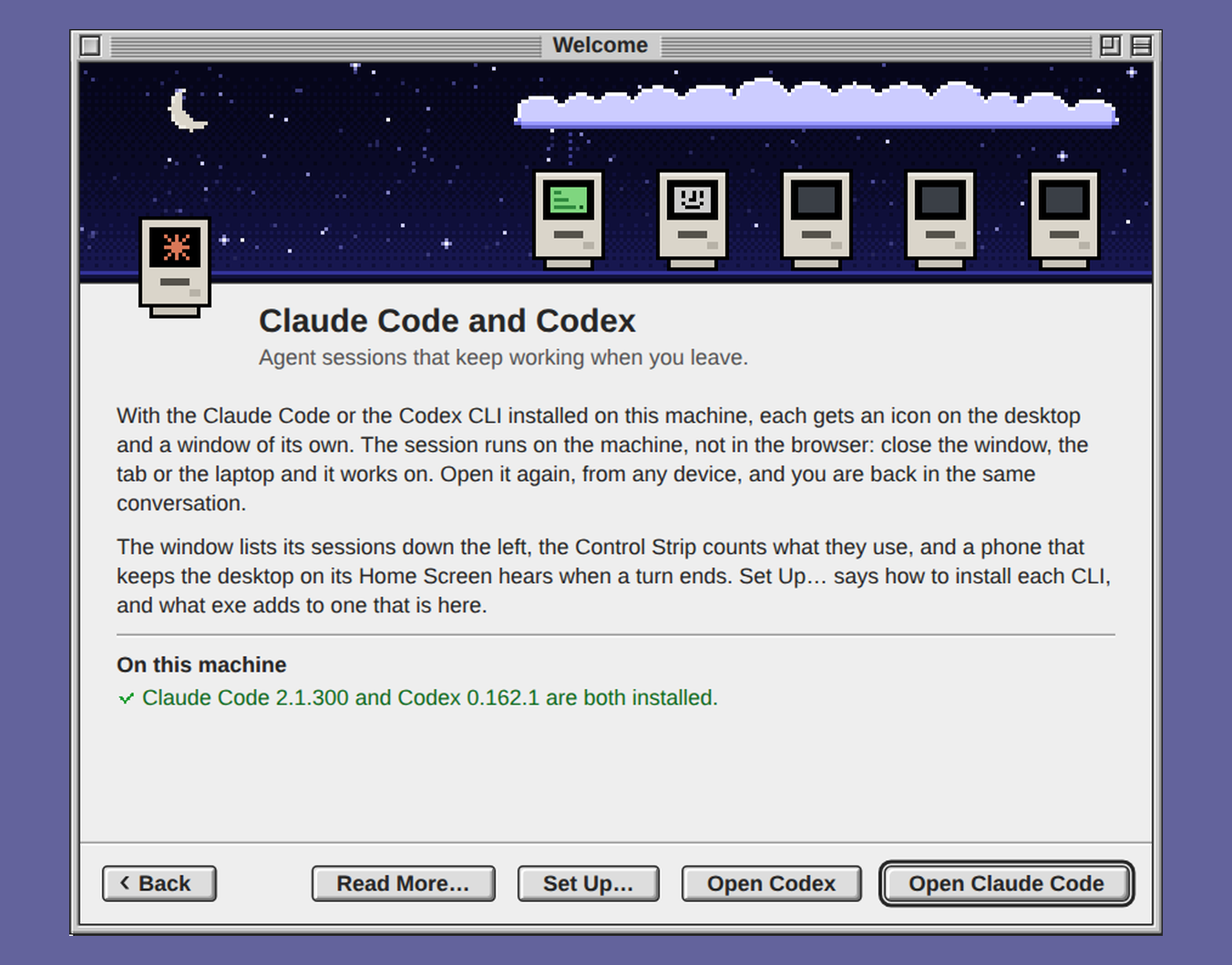
On the Claude Code and Codex card of Help → Welcome…, Set Up… opens Agent Setup, a window of three steps: a page for Claude Code, one for Codex, and a review.
A terminal shows what the agent answered, and your own prompt scrolls away. Now a line over the terminal shows the first line of the session's latest prompt, with the number of prompts at its right. It follows the session on screen, and a new prompt shows there within a couple of seconds.
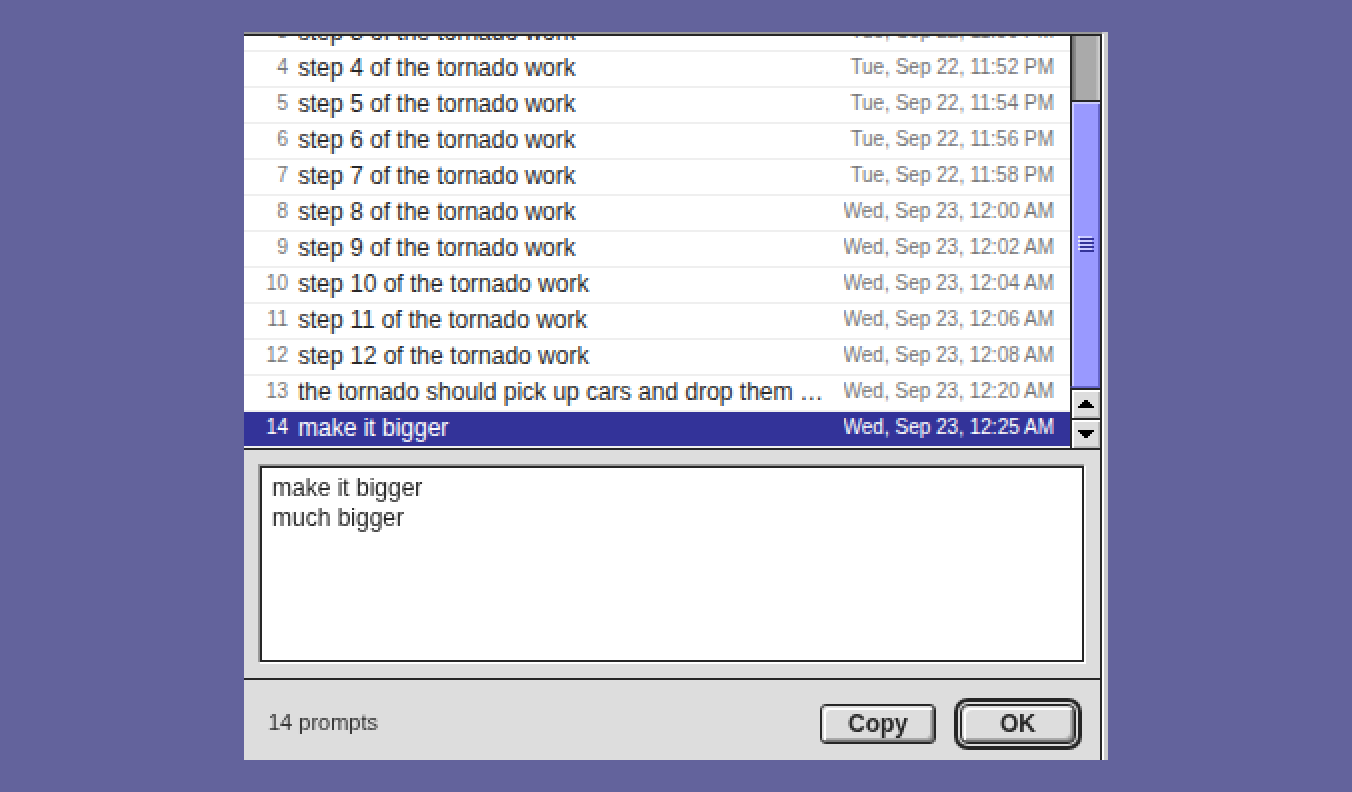
Click the line for Prompts, a list of every prompt of the session in order, each with its number and time. The selected prompt stands whole under the list. Copy copies all of it. A prompt is what you typed or pasted: slash commands, tool results and a sub-agent's turns are not listed. A prompt over 20,000 characters is cut there in the list.
You archive an idle session to get memory back, and first you want to know what the session was. Right-click its row and choose Get Info.
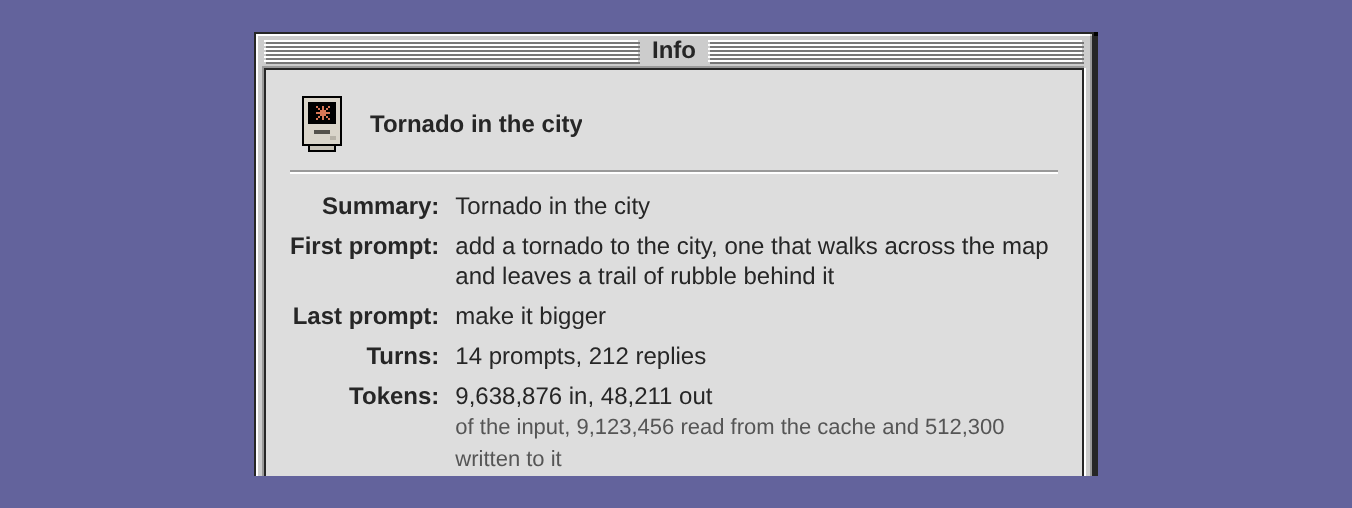
The dialog is read from the transcript that Claude Code keeps on this machine. It gives the summary, the first and the last prompt, the count of prompts and replies, and the tokens, with how much of the input came from the cache. It also gives the models, the times, the folder and the session's name. Archive… is in the dialog too, so you read and decide in one place.
Now, once an archived session's processes are gone, a note at the foot of the screen says what they held in memory and in swap, and how much memory the machine has available now. You know what ending the session was worth.

The figures are the processes' own, read before tmux ends them. On a Mac or a PC, where the daemon cannot read what a process holds, the note says only how much is available.
A session has a name of its own, such as exe-claude-90, which Get Info gives on its Session line. Search matched a session in the column on its title alone, so typing that name found nothing. Now it matches the name too, the whole name or its number, so exe-claude-90 or 90 finds that session.
The Codex window has no prompt line, Get Info or Search yet. The Claude Code chapter has the whole window.
Tiger, in the Mac OS X app, is a 2005 system, and its tools lack much that a current one has. Now an agent that knows this works inside the Mac for you, while you watch.

While the Mac runs, press Agent in the Mac OS X window, and a Chat opens pinned to the Mac, as Run Agent pins one to a VM. Chat needs a model for this, from Ollama or a ChatGPT sign-in. Ask in words, such as "what is in /Applications?" or "put the picture I painted on the desktop". It works over Remote Login with the shell and file tools, keeps a memory of the Mac between chats, and never restarts or shuts down the Mac unless you ask. Its upload tool copies a Workspace file into the Mac. When it was built, a chat on Tiger 10.4.11 uploaded a picture from Paint, made it the desktop picture and photographed the screen.
Set it up once in Setup details. Enter the Mac account that the agent works as. Then run the line shown there on the Mac, as that account. The window does not carry your clipboard into the Mac. One way to get the line there is a shell over Remote Login from this machine, which the manual describes. The line authorizes an RSA key that exe made, since Tiger's SSH server knows no newer kind. Remote Login must be on in the Mac's Sharing pane. Until all this is done, a chat with the Mac fails and says why. The Mac OS X chapter has more.
A note you wanted in view had to stay open in the Notes window. Now it can stand on the desk by itself, as notes did in Mac OS 9's Stickies.

Press the pushpin at a note's foot in Notes. The note becomes a small window in its own colour, with a look sampled from Stickies in a running Mac OS 9. Drag it by its thin title bar and size it by the box on its corner. The box at the bar's right end collapses it, and the box at the left end puts the note back in Notes alone. What you type in a sticky is in Notes too.
The place is kept in the note, so a sticky stands where you put it on every desk that syncs. A drag on one desk and an edit on another both survive. A phone opens no stickies.
Windows cover the desk's icons. Closing them, or dragging them aside, changes the saved layout on every screen that shows the desk.
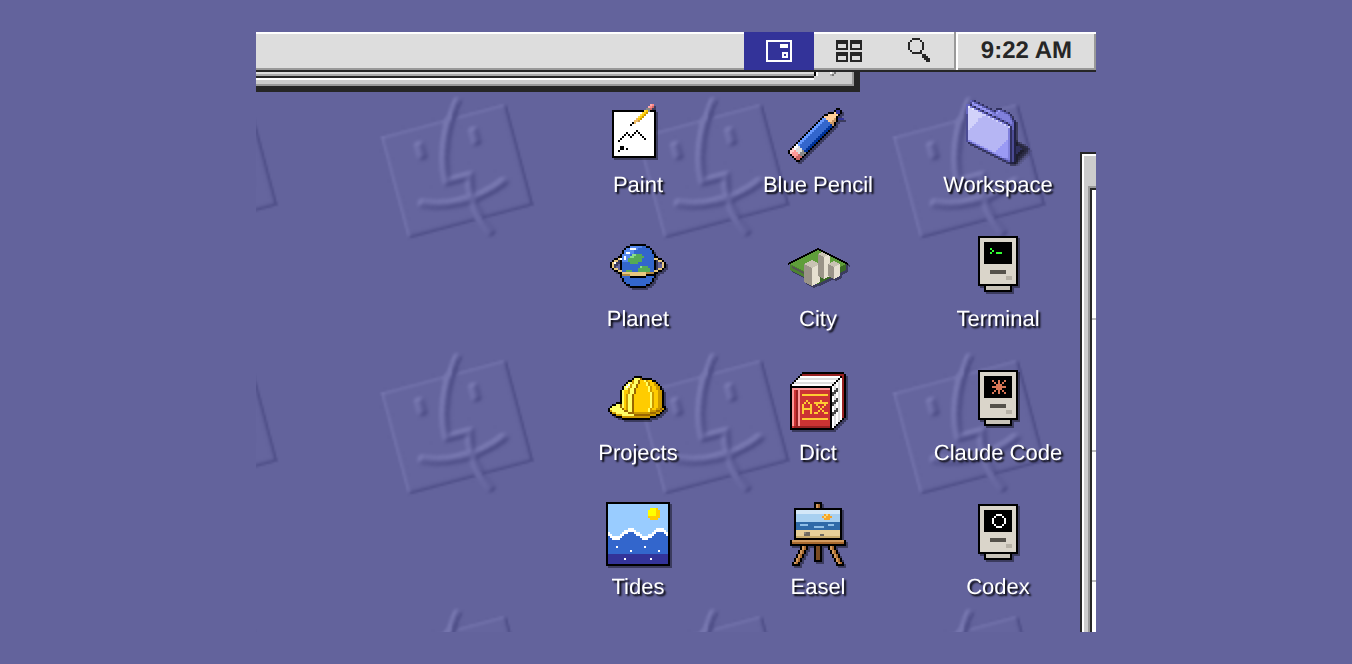
The button with a bare desk on it, left of Show All Windows in the menu bar, slides every window off to the nearest edge of the screen, with a sliver of each in view. The desk, its icons and the Control Strip stay in use. Click a sliver to bring all the windows back with that one in front. The button again, Escape, or opening a window from the desk brings them back too. Nothing is closed, and the saved layout does not change. The desktop menu reaches it as showdesk, and a phone has no such button. The desktop chapter has more.
When the daemon restarts or the device is offline, the desktop shows an alert until the daemon answers again. Until now, nothing could be read in that time. Reading a note or an issue should not need the network. Only changes should.

Notes and Projects now keep a copy on each device that has had the desktop open over HTTPS. The alert has a button for each: Open Notes and Open Projects. In a browser the app opens in a new tab, and the alert turns back into the desk the moment exe answers. In the installed app, which has no tabs, the app takes the alert's place. On a phone it has a back button at its top left, marked exe, that leads back.
The app says how old its copy is and dims what would change something, such as New Note and Delete. Projects keeps every issue, open or closed, and the pictures on open issues, up to 4 MB each. The copy is renewed each time the desktop opens and each time a notification arrives. A load that has not begun to answer after 8 seconds also shows the alert.
A pinch on a picture zoomed the whole page, with the menu bar. Now it zooms the picture about your fingers, up to its own pixels and at least four times over. A double tap zooms to the picture's own size, and another double tap brings it back. Zoomed in, one finger drags the picture. A picture from an issue in Projects swipes sideways to the issue's next or previous picture, fetched ahead so that it shows at once.
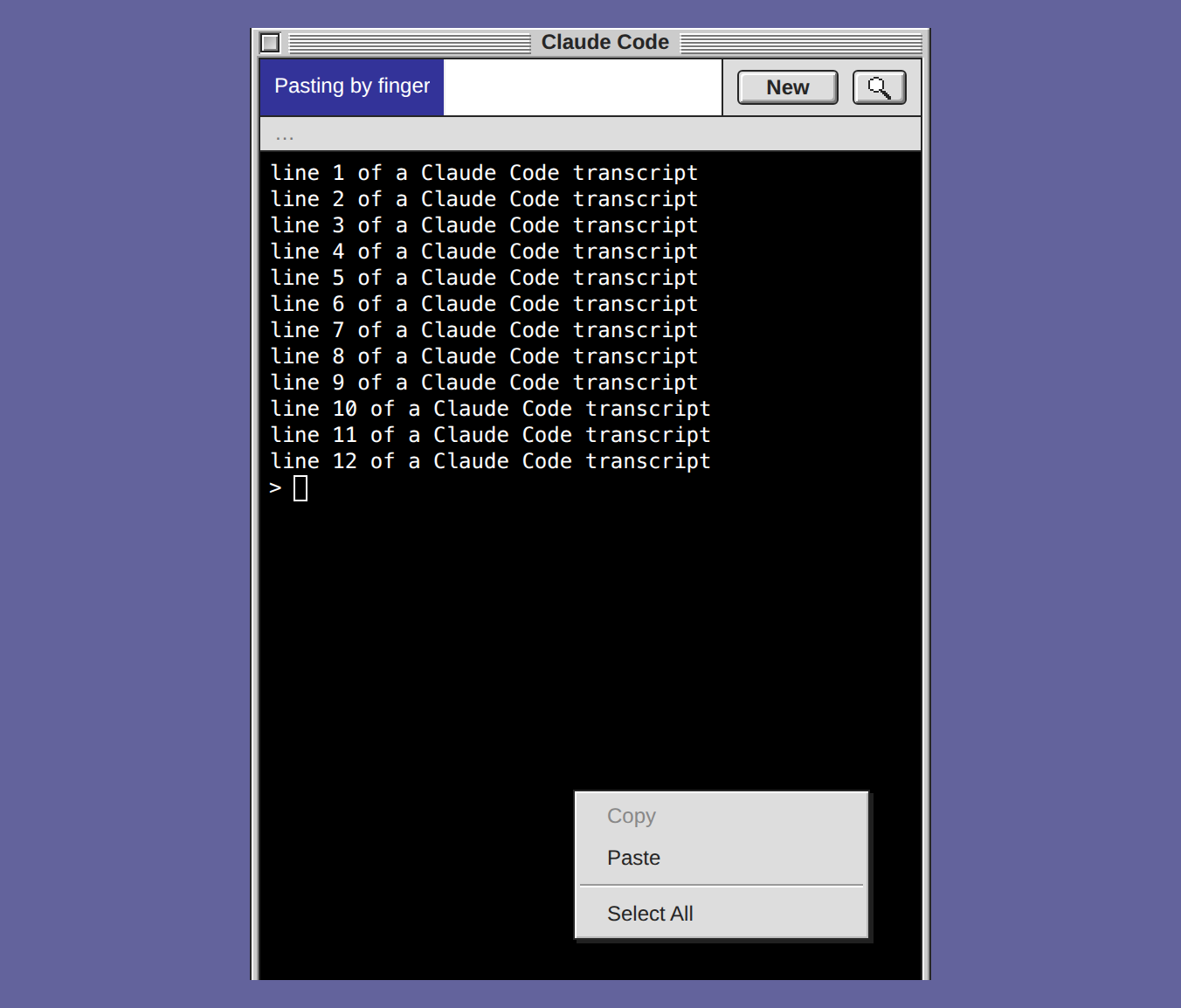
You could not paste into Claude Code's composer on a phone either. The terminal's menu opened only on a right-click, which iOS never sends, and the phone's keyboard has no paste key. Now press and hold the terminal of a Claude Code, Codex or Terminal window for 550 ms, and the menu opens: Copy, Paste and Select All. Paste reads the clipboard, and an iPhone shows its Paste bubble to tap. Where the browser refuses, a small Paste dialog takes the text into a field of its own and sends it on.
These three changes were tried in Chromium and WebKit, not yet on a device.
An iPhone can bring a Home Screen app back on the page it had, so after an update the app could show the old desktop. Now a return to the app checks for a new desktop and refreshes the app list. You do not need to force-close the app.
On iPhone and iPad Home Screen apps with iOS 18.4 or later, and in Safari 18.5 or later on a Mac, a notification also carries a form that the browser itself can read. An agent-finished alert can then still appear, and open its session, when the desktop's background worker cannot run.
In the installed app, the screen stays awake while Claude Code or Codex is the active window, so a long turn you watch does not go dark. Switch to another window, or leave the app, and the screen can sleep again. On an iPhone or iPad this needs iOS 18.4 or later, and the device can still refuse it, to save power.
A static site needed a server process of its own, one more program to keep running. Now the daemon, which is already kept running, serves the folder itself:
exe expose site.example.com \
-dir /www/site
/ is the folder's index.html. A folder without one is not listed, and a name that begins with a dot is never served..password file asks for HTTP Basic authentication, with that file's first line as the password. Those answers are marked private, so the edge in front of the site never hands them on.no-cache, and other files may be kept for ten minutes.exe unexpose <host> removes it.Publishing to the web has the rest.
Software Update shows what the newest release changed. When you skipped a release, its notes were only on GitHub. Now What Changed keeps every release's notes, back to the first, with an address for each release, such as /docs/changelog#2026-10-12. The first release, 2026.10.10, carried no notes. Its entry lists 38 items, written from the manual as it was at that release.
On Windows, exe ssh reaches a VM again on a PC where Codex has run. There it failed with "UNPROTECTED PRIVATE KEY FILE" in both Windows releases so far. Codex's sandbox could read the VM's key, and OpenSSH refuses such a key. Now the key has a permission list of its own: its user, SYSTEM and the Administrators. The next daemon start, or exe ssh itself, corrects an older key.
The green dot of a Claude Code session goes out when you stop a turn with Escape. Escape runs no Stop hook, so the dot stayed until the next prompt. Now exe asks the transcript whether the turn is over, and the row shows no mark.
Between joined desks, a Workspace file over 10 MB that you move to another folder stays on its node. Node Sync carries 10 MB at most, yet the nodes tried to send such a file every 30 seconds, and every try failed. On one node, 21 disk images and a video moved into folders cost about 2.2 TB of traffic in a day and a half.
An installed exe moves to this release with Software Update… in the Apple menu, or with exe update in a shell. exe restarts to finish, which stops the running VMs and starts them again. The alert names them first, and afterwards the window says how each one came back.
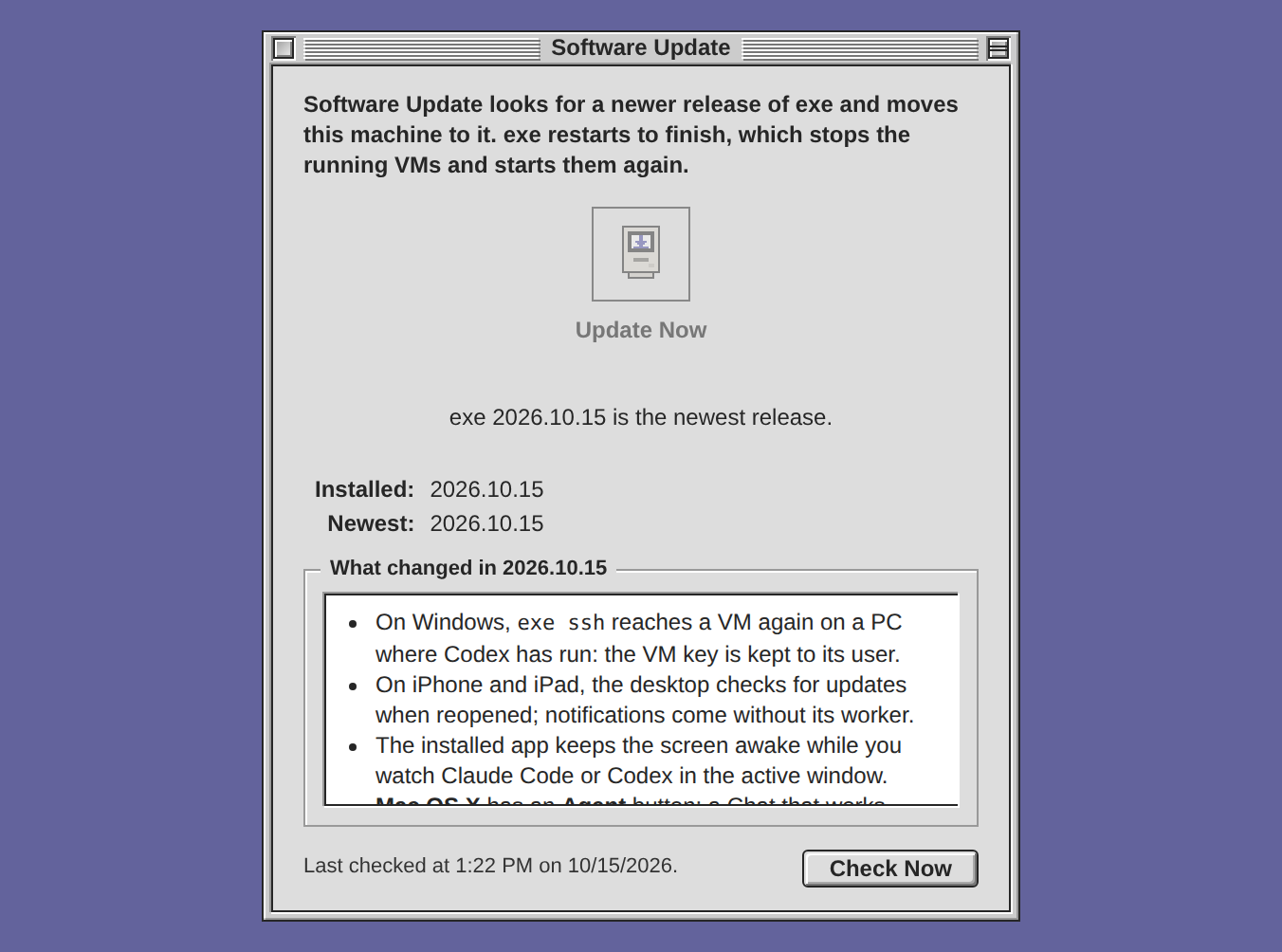
A new install on Linux, or on macOS 13 or later, on x86-64 or ARM64:
curl -fsSL https://exe.v2core.com/install.sh | sh
On Windows 11 on x86-64, in PowerShell:
irm https://exe.v2core.com/install.ps1 | iex
The release page has the files and their checksums. The Mac builds are signed with a Developer ID and notarized by Apple. The Windows build is not signed, as before.
The release is built from commit c4f684f, 49 commits after 2026.10.12. The update that Software Update starts ran from 2026.10.12 on Linux (x86-64), on a Windows 11 PC and on a Mac with Apple silicon, each with a VM running. It took 34 seconds, 9 seconds and 4 seconds. Each guest was shut down, not cut off, and came back. exe update ran in a shell on Linux (ARM64). New installs were made on Linux (ARM64) and on a Mac (Apple silicon), each with its questions answered at a terminal.
Not tried for this release: pressing Update Now in a browser, a new install on Windows, and Windows 10. The Software Update window has not changed since 2026.10.12, where Update Now was tried. The Intel Mac build was only started under Rosetta, and its VMs have still not been tried on an Intel Mac.
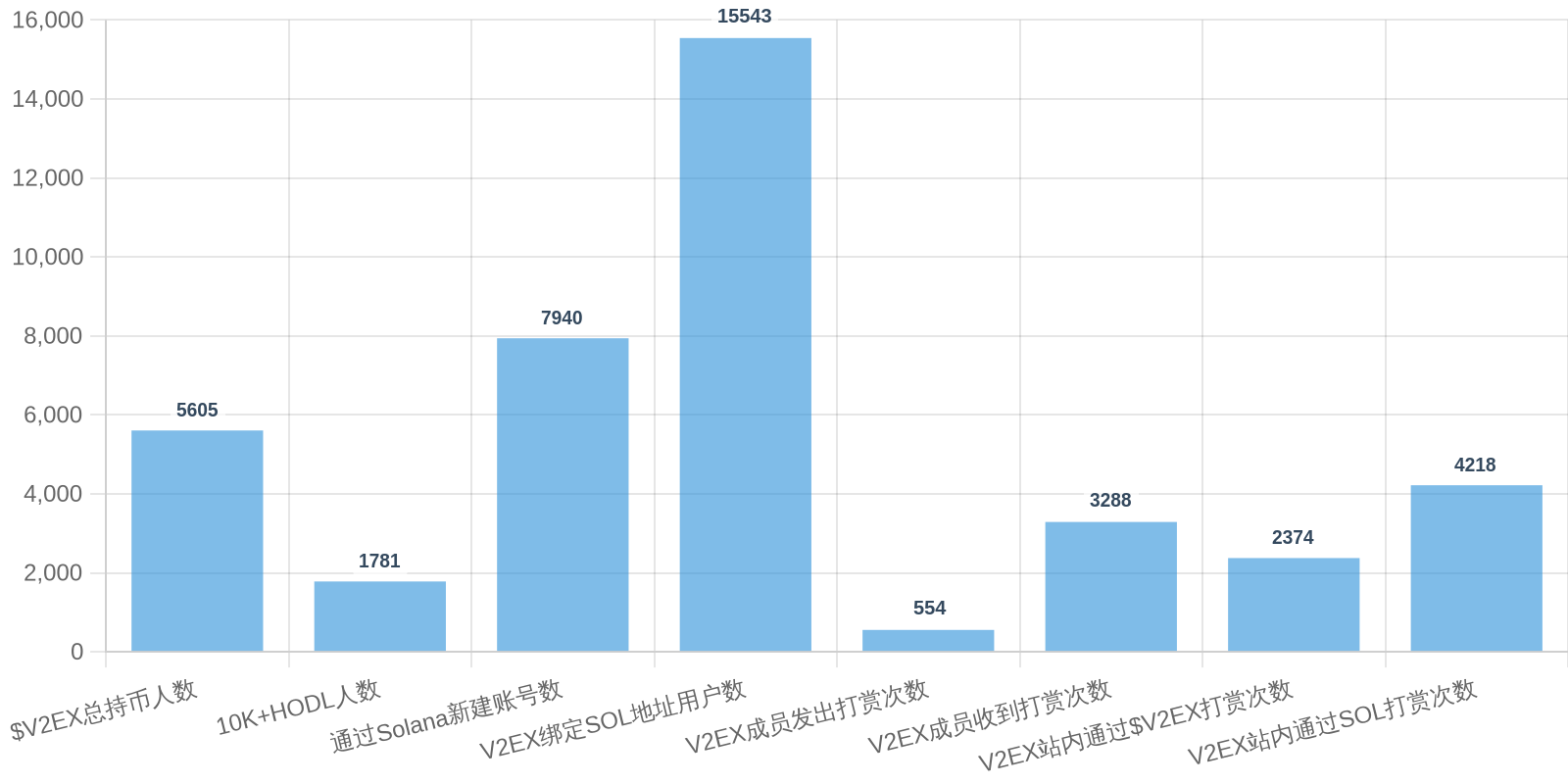
早上好!以下为昨日摘要:
BTC - $81,564.38 SOL - 暂无数据 PUMP - $0.0048 V2EX - $0.0022


| 排名 | 地址 | 持有数量 | 持仓比例 | 排名变化 | 数量变化 |
|---|---|---|---|---|---|
| #2 | Pump.fun AMM (V2EX-WSOL) Pool | 52.60M | 5.26% | -1 | +28.04K |
| #4 | Meteora (V2EX-WSOL) Market | 5.04M | 0.50% | -2 | +4.60K |
| #14 | 5kdZ...9A5X | 13.74K | 0.00% | -1 | +2.18K |
| #17 | DPLi...JRLM | 11.28K | 0.00% | +16 | +7.42K |
| #48 | 8psN...VRtf | 69.3463 | 0.00% | -8 | +0.036615 |
| #50 | HLnp...TLcC | 0.22M | 0.02% | -44 | -0.21M |
TG 机器人订阅: 点我订阅
原始图表与数据存放于: 点我查看
此报告由 V2EX Info 提供数据, 由 Newsletter Report Bot 自动生成。
此报告仅供参考,不构成任何投资建议。投资有风险,入市需谨慎。
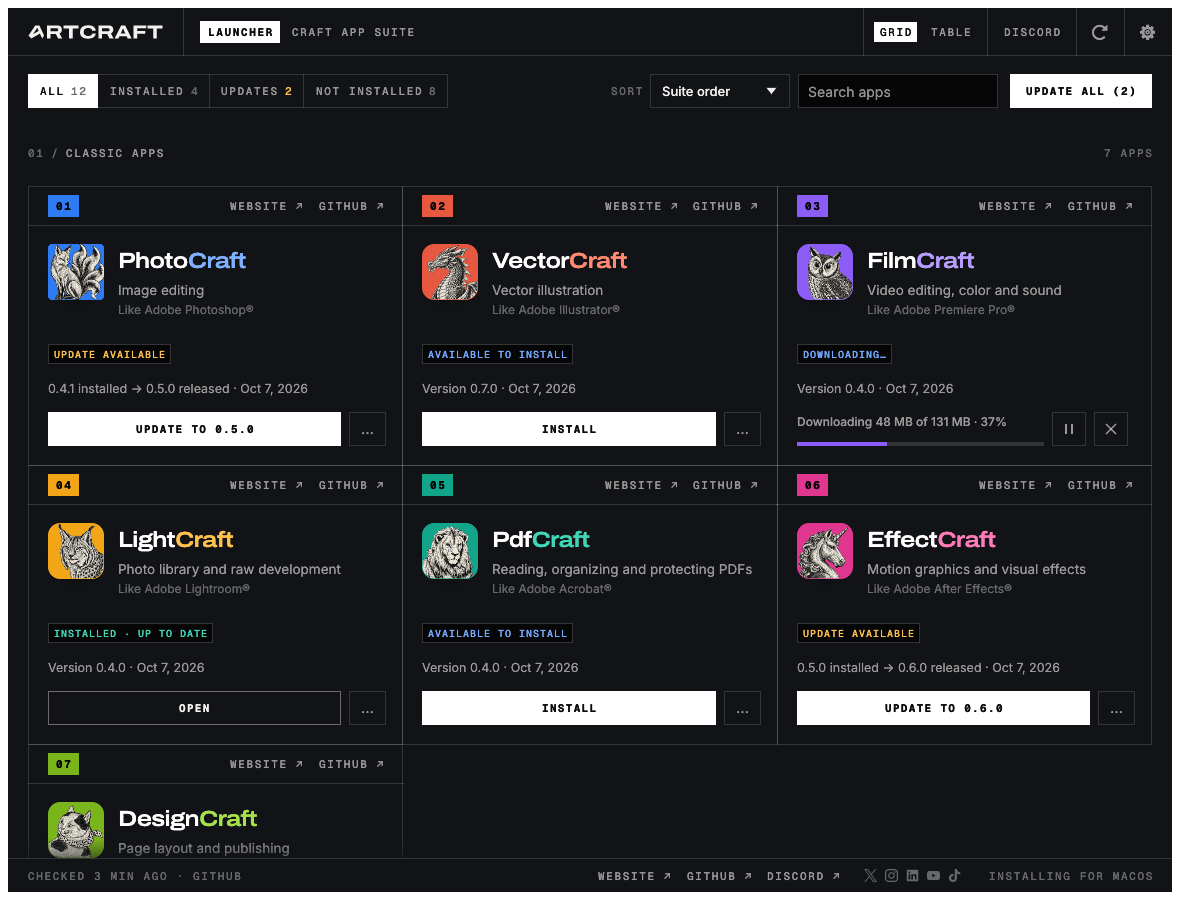
上周,六个 craft 同周进场。我们猜是某个套件整批发行。
这一周,答案揭晓——但揭晓方式比"整批"更陡: ArtCraft 套件是分两周、分两批把 13 个 Rust 创意应用、1 个命令行版本、1 个官方 launcher 全部 push 进 Homebrew 的。1010 期是第一批 7 个,1017 期是第二批 8 个。整套发行是被计划过的,不是偶然"同周进场"。
另一边,Homebrew 出现了 MCP 协议的服务端: peekaboo(steipete 出品、5351 stars、Swift 6.2 写)——一个 macOS UI 自动化工具,既能本地 CLI 调用,也能作为 MCP server 让 agent 直接接管 macOS 屏幕操作。1010 期的 mcpc 是 MCP 客户端(让 agent 通过 shell 打 MCP),这一期的 peekaboo 是 MCP 服务端(让 MCP 调用 macOS UI)。MCP 协议的两端在两周内先后进了 Homebrew 官方 core。
不是一个完整套件, 是一个叫 ArtCraft 的开源创意套件——13 个 Rust 应用、1 个 headless CLI、1 个 Rust 原生 launcher——1010 期进了 7 个,1017 期又进了 8 个,加上本期 artcraft-launcher 自己的更新器被正式纳入,完整的发行版图用两周时间成形; 不是一个截图工具, 是一个叫 peekaboo 的 macOS 自动化——既能在 menu bar 里手动跑、也能作为 CLI 在 shell 里跑、还能作为 MCP server 让 Claude Code / Codex / Cursor 直接接管屏幕——同一套工具集,三个入口。
这一周 Homebrew 接住了两件大事:一个完整开源创意套件的发行成形,和 MCP 协议 macOS 端的补完。前者用两周分两批把 13 个应用 + 1 个 CLI + 1 个 launcher 全部进场;后者把 agent 接管 macOS UI 的能力正式纳入 macOS 包管理。
| 名称 | 中文说明 |
|---|---|
| dnswire | DNS 协议编码/解码库(DNS-OARC 出品) |
| tinyframe | Frame Streams 协议读写库(DNS-OARC 出品) |
| titus | praetorian-inc 出品的高性能密钥扫描器(Apache-2.0) |
| planetiler | 用 OpenStreetMap 数据生成矢量瓦片的 Java 工具 |
| portop | 端口操作小工具 |
| qdl | Qualcomm 设备的低层刷机与诊断工具 |
| photocraft-cli | ArtCraft 套件的 headless 命令行版——批量转换、检查、编辑图像 |
| peekaboo | macOS 屏幕捕获、UI 自动化,同时是 CLI + MCP server(steipete,Swift) |
| diffle | 键盘优先的 diff 查看器(支持 LSP + GitHub 集成,Apache-2.0) |
| bitbucket-cli | Bitbucket 命令行 |
| tsuzuri | 文字书法字体渲染工具 |
| tinycbor | CBOR 编码库 |
| mcpc | MCP 通用命令行客户端(0.7.0,replacement PR,上期已展开过) |
| dekit | 重命名自 mprocs 的终端多任务工具 |
| android-file-transfer-linux | Linux 上的 Android 文件传输 |
| noodle | 终端 REST 客户端,基于文件集合管理请求(Apache-2.0) |
| localsend-cli | LocalSend 的命令行版 |
| memex | 知识管理工具 |
| [email protected] | Python 3.15 正式进入 Homebrew(连同 [email protected]、[email protected]) |
| 名称 | 中文说明 |
|---|---|
| artcraft-launcher | ArtCraft 套件官方安装与更新器(纯 Rust、跨 5 平台) |
| artcraft | ArtCraft 自家 AI 图像/视频 studio |
| figcraft | 界面设计与原型(ArtCraft) |
| cadcraft | 计算机辅助设计(ArtCraft) |
| deckcraft | 演示文稿编辑器(ArtCraft) |
| wordcraft | 文字处理器(ArtCraft) |
| soundcraft | 数字音频工作站(ArtCraft) |
| gridcraft | 电子表格与数据(ArtCraft) |
| designcraft | 页面排版与出版(ArtCraft) |
| pdfcraft | PDF 阅读、整理、保护(ArtCraft) |
| lightcraft | 照片库与 raw 开发(ArtCraft) |
| vectorcraft | 矢量插画(ArtCraft) |
| textus | WYSIWYG Markdown 编辑器,内置 AI 写作助手,支持 20+ LLM,MIT |
| rew | REW(Room EQ Wizard)——免费专业级房间声学测量软件 |
| status-trio | 把 Wi-Fi/电池/音量合并成一个原生 macOS 状态栏图标 |
| portkiller | 端口管理工具 |
| switchbar | SwitchBar 风格的菜单栏工具 |
| cleeen | 文件清理工具 |
| notomo | Notion-like 笔记应用 |
| vernier-instrumental-analysis | Vernier 仪器数据分析(教育) |
| taperlabs-shadow | Taperlabs Shadow 工具 |
| petal | 轻量待办 |
| superhuman-docs | Superhuman 文档 AI |
| font-libron | Libron 字体 |
| font-ioskeley-mono-term-nerd-font | iOSkeley Mono Term Nerd Font |
| capso | 屏幕录制/截图 |
| biscotti | 文件分享/传输 |
| receipts-space | 收据管理 |
| tine | 笔记/写作工具 |
| cyd | iOS 越狱相关工具 |
| tracexy | 调试跟踪工具 |
| nextpad | 笔记应用 |
| pulse | 系统监控 |
| nextdns-app | NextDNS 客户端 |
| claudoscope | Claude agent 监控面板 |
| crest-browser | Crest 项目浏览器 |
| phtv | 媒体播放 |
| forel | 邮件/日历工具 |
| betadataudio | Beta 音频工具 |
| tnas-pc | TerraMaster NAS 客户端 |
| sacnview | sACN 查看器(舞台灯光控制协议) |
| purge | 系统清理 |
| sononym | AI 驱动的音频采样浏览器 |
| genoffice | 通用办公套件 |
| crest | Crest 套件核心 |
| vercel | Vercel CLI 桌面包装 |
这一节不求全,
只挑 2 个 值得停下来看的点。
上期六个 craft 同周进场,我说"像某个套件整批发行,也像某个团队第一次发现 Homebrew 这个渠道"。
本周这个猜测有了完整版图:
ArtCraft 套件一共 13 个 Rust 应用,从 1010 期到 1017 期,分两批全部进了 Homebrew core:
| 批次 | 期间 | 进入的 Craft 应用 |
|---|---|---|
| 第一批(7 个) | 2026-10-02 ~ 10-09 | lightcraft、filmcraft、vectorcraft、photocraft、designcraft、pdfcraft、crest |
| 第二批(8 个) | 2026-10-09 ~ 10-17 | figcraft、cadcraft、deckcraft、wordcraft、soundcraft、gridcraft、artcraft、artcraft-launcher |
而同一周 Formulae 通道里还出现了一个容易被忽略的工具:**photocraft-cli**——"Headless PhotoCraft engine to convert, inspect and batch-edit images"。
这是 ArtCraft 套件在 GUI 应用之外的第二条入口。一套 13 个应用的 Rust 创意套件,既提供 GUI 版本,又提供 headless CLI 版本。这种"套件内自带 CLI"的发行模式在 Homebrew 里极少出现——大多数套件的 CLI 版本是独立项目,或者干脆没有;ArtCraft 把 GUI 和 CLI 当作同一个发布渠道的两个分发方式。
事件本身值得拆开看。为什么是两周分两批,而不是一周 13 个?
我猜三种可能:
docs/brand/LICENSE-brand.txt 把 ArtCraft 名字、A logo 等保留为商标,这种"商标 + 双协议开源"的混合需要 review 多轮不管哪种,结果是一样的:Homebrew 在 2026-10 的第二和第三周,完整接纳了一个 13 应用的开源创意套件。Word、表格、演示文稿、PDF、矢量、位图、视频、音频、网页设计、CAD——对标 Microsoft Office + Adobe CC + Figma 的开源替代栈,这次不是 single binary 套件,而是 13 个 Rust 独立应用 + 1 个 headless CLI + 1 个 launcher。
安装量已经开始显现:
wordcraft 30 天 742 安装、deckcraft 334——比上期我重点推荐的 mcplinker 20、nodeterm 31 都高一个量级。这件事说明两件事:Homebrew 是这套创意应用的分发入口,不是发行渠道的全部;这套套件的早期用户不在少数,而是真实地进了 macOS 创作者的工具栈。
peekaboo 的作者主页第一行写得很直白:
Mac automation that sees the screen and does the clicks.
Peter Steinberger (steipete) 在 GitHub 上的项目叫 openclaw/Peekaboo,5351 stars、Swift 6.2 写、2019 年初版、持续维护到 2026-10-20。之前安装方式是 brew install openclaw/tap/peekaboo(第三方 tap),现在 4.9.5 进入 Homebrew core(这一周)。
它的官方描述三个词:Native CLI、MCP server、agent runtime。同一套工具集,三个入口:
peekaboo see --app Finder --json 直接在 shell 里截屏 + 拿结构化 UI map + 点元素这是 1010 期 mcpc 的镜像。让我把这两期的 MCP 双端摆在一起:
| 维度 | mcpc(1010) | peekaboo(1017) |
|---|---|---|
| 协议方向 | MCP 客户端 | MCP 服务端 |
| 主要能力 | agent 通过 shell 调用 MCP server | MCP 调用 macOS UI |
| 安装入口 | Homebrew core | Homebrew core(原 openclaw/tap) |
| 作者 | Apify | Peter Steinberger (steipete) |
| 解决的心智成本 | agent 不必在 prompt 里塞 function 定义 | agent 不必学 macOS UI 自动化 API |
1010 期我说 mcpc 的题眼是 "MCP 管远端、shell 管本地"。本期 peekaboo 把这件事翻转了一次: 现在 agent 想操作 macOS,不必写 AppleScript、不必学 SwiftUI、不必研究 Accessibility API——只需要安装 peekaboo,把它接进 MCP,agent 就能看到屏幕、能点、能输入文字。
peekaboo 的 README 里有一段很具体的演示:
peekaboo see --app Finder --json # 截屏 + 结构化 UI map
peekaboo click "Address and search bar" --app Safari --window-id 12345
peekaboo type "github.com/openclaw/Peekaboo" --app Safari
peekaboo press Return
—— agent 不再需要专门写 AppleScript 桥接或 Apple Events 权限申请代码,peekaboo 已经把这些事做完了。4.9.5 的 changelog 里有一条特别值得抄下来:
Unsigned source builds, such as Homebrew core's
peekabooformula, now run commands in-process immediately instead of waiting on or aborting at a daemon they cannot trust
—— 进了 Homebrew core 之后,peekaboo 砍掉了一直以来需要 daemon 的信任机制。这件事本身是 Homebrew 作为"正式分发渠道"的副作用:一旦被官方 core 接纳,工具就可以假设用户给了合理的权限,而不再需要额外的进程隔离。
从 steipete 的视角看,这事还有一个延续:0914 期他个人 tap 里的 canvas 进入过周报关注,1010 期之后的 1017 期,他自己做的 peekaboo 也进了 core。他做工具的轨迹从"个人 tap 试水"到"Homebrew core 正式接纳"——这条路其他开发者也走过。
本期最值得记的不是任何单个工具,是**"未截图"——brew update 在我本地只显示 4 个新增 cask,但真实数据是 42 个。这件事本身是一个信号:Homebrew 7.0.10 升级后,brew update 的"new"显示窗口可能不再是简单的"上次 update 以来",可能是某种高信号过滤或者压缩策略。我以后跑 brew update 必须用 GitHub Search API 交叉验证一次,才能写出准确的清单**。这件事我会写进 HANDOFF 的失败教训。
planetiler(Java、Apache-2.0)本期进 Homebrew 让我多看了一眼——它的 README 第一句:"a tool that generates Vector Tiles from geographic data sources like OpenStreetMap data",号称"build a map of the world in a few hours on a single machine without any external tools or database"。换句话说,你有一个 Mac、几小时空闲,就能离线生成全球矢量瓦片。Protomaps、OpenMapTiles 这类开源地图底层都靠它。这是一个默默补完了本地离线地图基础设施的工具,本期不会被写进标题,但它让我确认一件事:Homebrew 是研究/数据工具的补完阵地,不光是消费类应用。
titus(praetorian-inc 出品,Apache-2.0)是一个"高性能密钥扫描器",用 vectorscan 做 hyperscan 加速——这意味着它能在仓库里非常快地扫出 AWS key、API token、SSH private key 等敏感信息。HOL-guard(0930 期)在 syscall 层挡 agent 的网络写,titus 在 commit 前扫仓库里的硬编码密钥。**两个工具是同一件事的两个时间点:一个是 agent 跑之前(commit 时),一个是 agent 跑之后(执行时)**。这是 Homebrew 这一波 agent 安全工具链上我目前看到的、最被低估的一环。
noodle(Apache-2.0)是一个"终端 REST 客户端,基于文件集合管理请求"——你的每个 API 调用是个 Markdown 文件,所有 collection 用 git 管理,API 调用可以 PR review。这件事和本期其他 GUI / GUI 自动化工具形成对比:agent 时代,API 也开始需要被当成代码资产来 review。这和 mcplinker 的"MCP 配置是资产"是同一句话的不同应用。
最后是 [email protected] —— Python 3.15 正式进入 Homebrew,连同 [email protected]、[email protected]。Python 3.14 才发没多久,3.15 已经成了 Homebrew 的"主线版本"。Homebrew 同步 Python 主线节奏越来越紧——这件事不会成为标题,但它是 Homebrew core 维护者工作量的稳定来源,也是为什么 Formulae/Cask 数量持续膨胀的一个不太显眼的原因。
上期我说"套件自己站出来介绍自己了",artcraft-launcher 是事件第一段。本期事件补完:套件不只是站出来,是两周分两批把 13 个应用 + 1 个 CLI + 1 个 launcher 全部 push 进了 Homebrew。这件事的细节是 photocraft-cli——同一个套件里多了一条 CLI 入口,GUI 和 CLI 同源,这是 Homebrew 上少见的发行模式。
而 peekaboo 不只是"又一个 macOS 自动化工具",它补完了 MCP 协议的服务端——1010 期 mcpc 的另一端。MCP 协议的两端在两周内先后进了 Homebrew 官方 core,这件事意味着:Homebrew 不再只是 agent 工具栈的消费渠道,它开始成为 agent 协议基础设施的承载者。
下期的钩子已经在那了:当 MCP 两端都在 Homebrew,谁来定义 agent 跨机器的"会话可移植"? lody 在 1010 期接过这个问题;ACP 协议那一头在等;Homebrew 自己还没表态。
发布开源一个自用的 Mac 五笔输入法。
可能用五笔的人不多了,不过自己实现一个挺有意思,可以定制一些功能了。
Website: https://wubi.app GitHub: https://github.com/becoolme/wubi.app
早上好!以下为昨日摘要:
BTC - $83,076.63 SOL - $106.73 PUMP - $0.0050 V2EX - $0.0023


| 排名 | 地址 | 持有数量 | 持仓比例 | 排名变化 | 数量变化 |
|---|---|---|---|---|---|
| #1 | Pump.fun AMM (V2EX-WSOL) Pool | 52.57M | 5.26% | - | +1.02M |
| #2 | Meteora (V2EX-WSOL) Market | 5.03M | 0.50% | - | +4.47K |
| #4 | DFQP...XioE | 0.52M | 0.05% | - | +11.78K |
| #6 | HLnp...TLcC | 0.43M | 0.04% | +23 | +0.22M |
| #8 | HnPH...PTUY | 63.32K | 0.01% | +41 | +9.33K |
| #9 | gangster | 51.68K | 0.01% | +41 | +2.30K |
| #10 | BVWV...F2Gu | 41.50K | 0.00% | -2 | +164.13 |
| #40 | 8psN...VRtf | 69.3096 | 0.00% | -9 | +0.004832 |
| #42 | HWGo...vRFQ | 0.178074 | 0.00% | -16 | +0.069694 |
| #49 | 88Sr...zGmS | 0.14M | 0.01% | -42 | -20 |
TG 机器人订阅: 点我订阅
原始图表与数据存放于: 点我查看
此报告由 V2EX Info 提供数据, 由 Newsletter Report Bot 自动生成。
此报告仅供参考,不构成任何投资建议。投资有风险,入市需谨慎。
A long Claude Code task should not depend on your laptop staying open or your Wi-Fi staying up. Run Claude Code on the laptop, and closing the lid stops it. Run it on a server over SSH, and a dropped connection stops it. The form that fits is a private PWA (progressive web app): a web page that installs like an app, and that only you can open. The agent works on a machine of your own that stays on, and every device you carry is a window onto it.
This is where everyone starts: claude in a terminal, in the project's folder.
Then a task needs twenty minutes and you need to leave. Close the lid and the laptop sleeps, and the agent sleeps with it. Open it an hour later and the task is where you left it, with the twenty minutes still to go.
A laptop can be told not to sleep. Then it has to stay where it is, on power and on its Wi-Fi, until the agent is done, and you leave without it.
So the agent moves to a machine that never sleeps: a desktop in the corner, a Mac mini, a rented server. You SSH in and run claude there.
Now the lid cannot stop the machine. It can still stop the connection, and the agent lives only as long as the connection does. Lose the Wi-Fi for more than a moment, let the laptop sleep or move to another network, and the SSH session breaks. Claude Code is cut off with it, in the middle of its work. claude --resume brings the conversation back, but not the work it would have done in the meantime.
tmux mends that. It keeps a terminal alive on the server with nobody attached, so the agent works on and you attach again later. It also hands you a list of chores:
None of this is hard. It is logistics, and it comes back every day.
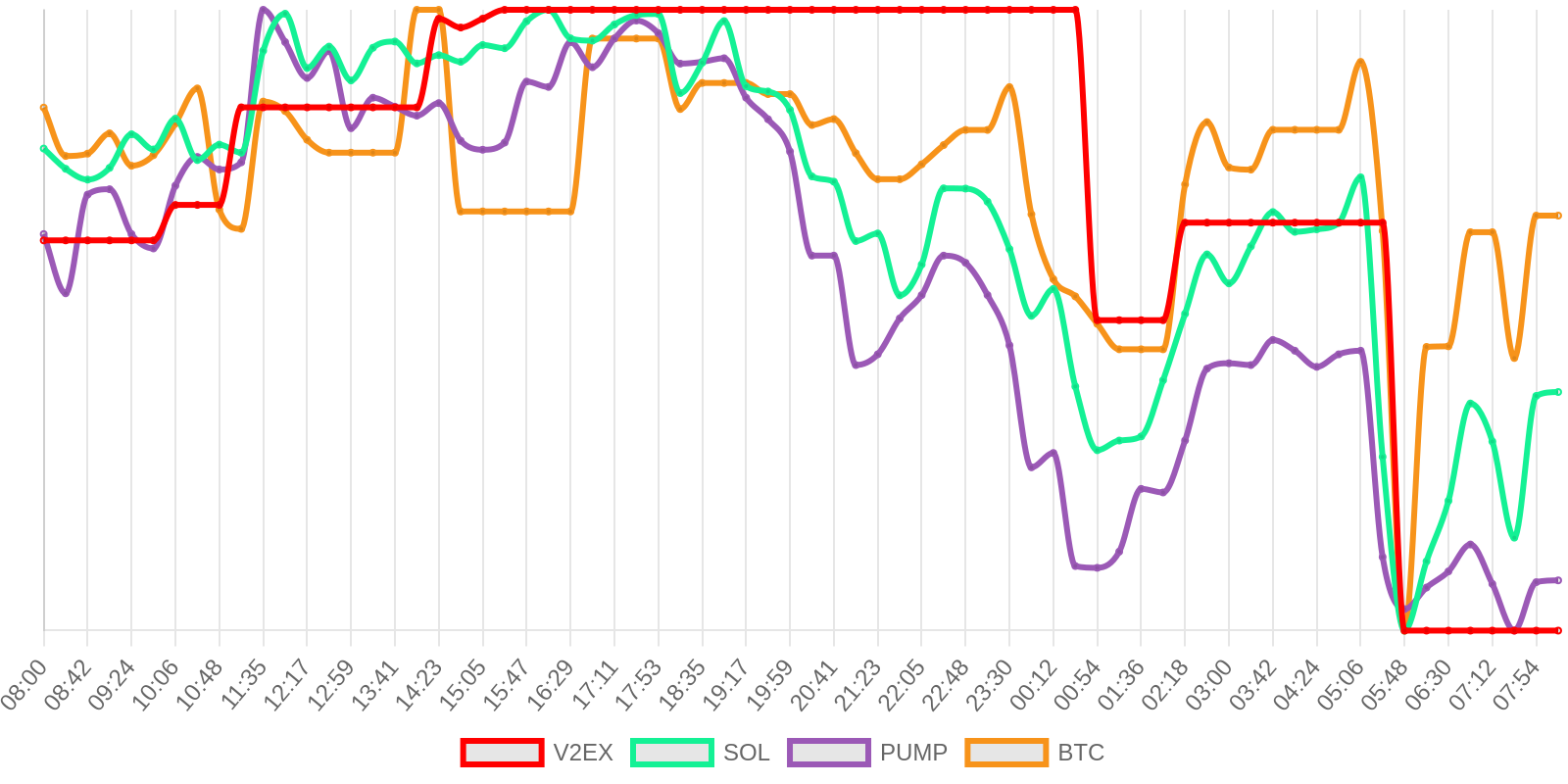
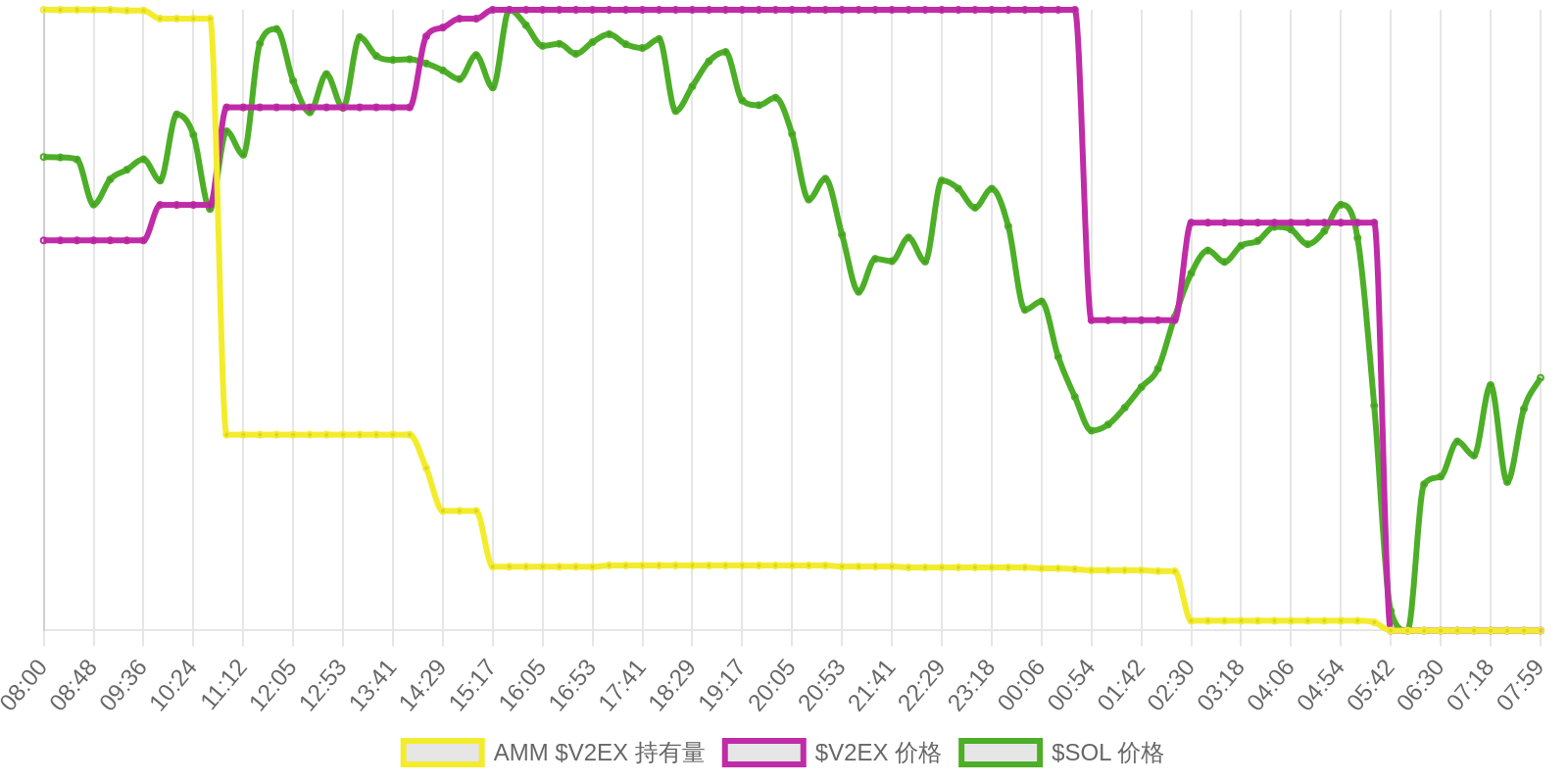
Put the two lessons together. The agent belongs on the machine that stays on. What you hold in your hand should be only a view of it, one that can go away at any moment and come back with nothing lost.
A web page is that kind of view. Every device already has a browser, so there is no terminal app to set up and no SSH key to copy. A page that loses its connection can find it again by itself. And a page installed as a PWA gets an icon, a window of its own and notifications, so it can tell you when the agent is done.
exe is built this way. It is a desktop in your browser, served by a machine you own, and Claude Code is one of the windows on it.
Under the window it is still tmux: each session is a tmux session that exe starts, names and attaches for you. What tmux does has not changed. The logistics have moved from you to the app.
A window onto Claude Code is a shell on your machine, with your code and your sign-ins behind it. It cannot be a page on the open internet.
exe leans on Tailscale for that. Tailscale is a private network between your own devices, and it reaches the machine from wherever you are. exe listens on the machine's address in that network, so the desktop opens from your laptop, your tablet and your phone, and from nowhere else. On top of that sits an API token, a password for the desktop.
That leaves the machine. Ideally it is a small one at home: an NVIDIA DGX Spark or a Mac mini. Either is quiet, takes little room on a shelf and can stay on day and night. Tailscale reaches it there with no port opened on your router.
That machine has more to do than hold a terminal. The agent's builds and tests run there. So do the virtual machines exe gives the agent as sandboxes, and any model you run yourself. That takes cores, memory and a GPU, and a DGX Spark has 20 cores and a GPU that shares 128 GB of memory with them.
You could rent that in the cloud. But a GPU with that much memory is billed by the hour, and this machine cannot be switched off between tasks, because the agent lives on it. Kept on all year, the rent comes to more than the box costs. A box you own is paid for once.
You need a Linux machine or a Mac that stays on, with tmux on it and Claude Code installed and signed in. Tailscale goes on that machine and on every device you will look from.
curl -fsSL https://exe.v2core.com/install.sh | sh
The rest is in Getting Started, and the source is at github.com/livid/exe.
Then open Claude Code, give it something long, and close the lid.
AI 让我的学习积极性越来越低了,以前可能还会时不时的看看算法、数据结构还有一些新的技术等等,而现在第一时间想的是没啥意义,因为 AI 很快就会做出来,而且由刚开始不怎么相信 AI 到现在完全相信 AI,思考介入到越来越少,省下的时间可以看看 AI 短剧,唯一记住的是——“吃了不烧心”。